Hot Hardware's review of this laptop found its Intel chip impressively efficient, so if your XPS 13 suddenly can't make it through an afternoon, something has changed. Here's how to figure out what, and what to do next.
Step 1: Test the battery
- Windows battery report. Open Command Prompt, type powercfg /batteryreport, and open the file it creates. Compare Design Capacity with Full Charge Capacity. If full charge is way below design, the battery has worn.
- Dell diagnostics. Dell SupportAssist can test the battery and other hardware. Dell's support site also runs hardware scans.
- Cycle count. The same Windows report shows how many charge cycles the battery has done.
Step 2: Try the free fixes
- Find the power hog. Settings > System > Power & battery shows which apps use the most. Close or uninstall the worst offender.
- Check brightness and refresh rate. The 2.5K screen goes up to 120Hz and 500 nits. Running it bright and fast all day costs battery.
- Update BIOS and drivers from Dell's support site. Power management fixes often ship this way.
- Check charge limits. Dell laptops can be set to stop charging early to protect the battery. That's not a fault, just a setting.
Step 3: Watch for danger signs
What a replacement costs
| Route | Cost | Notes |
|---|---|---|
| Dell, in warranty | $0 | Battery defects; base plan is mail-in service |
| Dell Care Plus / ProSupport Plus | Covered | Plus accidental damage, 1 incident per contract year |
| Dell, out of warranty | Quote after diagnostic | Diagnostic fee is nonrefundable |
| Independent shop | Quote | Insist on a genuine Dell battery |
We couldn't find a published Dell price or a solid retail listing for the DX13260 battery yet. Enter your Service Tag on Dell's support site to see your warranty and request service, or ask a local shop to quote a genuine part.
Can you replace it yourself?
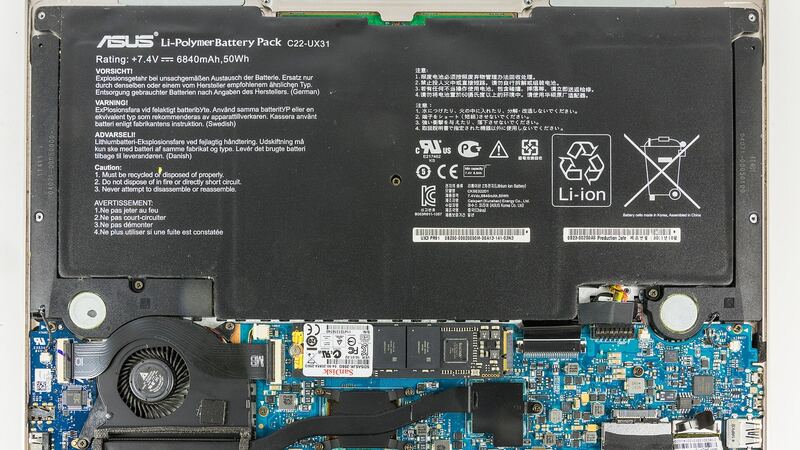
Dell's thin new XPS models treat the battery as a technician part. On the sibling XPS 14 (2026), Dell's manual lists no customer-replaceable parts, though its battery is held by screws rather than glue. Dell hasn't made it easy to confirm the XPS 13's exact layout, so check the service manual for your Service Tag before you buy a part. Dell also warns that non-Dell batteries may raise fire risk and that damage from improper replacement isn't covered.
Questions to ask the shop
- Is it a genuine Dell 52Wh battery?
- What's the total, including diagnostic and labor?
- How do you handle a swollen battery safely?
- What's the warranty on the new battery?
Signs it's really time
- The battery report shows full charge capacity well below the 52Wh design.
- Dell diagnostics flag the battery.
- The laptop dies at 10% to 20%, or won't run unplugged at all.
- The bottom cover bulges or the touchpad feels different. Stop and treat it as swelling.
What happens when you send it to Dell
The XPS 13's base coverage is mail-in, with an onsite upgrade available at purchase. Dell sends a prepaid box, diagnoses the laptop and emails or texts a result. Under warranty, a failing battery is replaced at no charge. Out of warranty, you approve or decline the quote, and the diagnostic fee stays paid either way. Back up first, and keep your BitLocker recovery key ready in case the laptop asks for it after service.
Is it worth it?
Usually yes. This XPS 13 sold for $699 to $999 in its common configurations, and a battery is one of the cheaper repairs you can do on a laptop. If the quote seems high, compare it to a new machine with our repair-or-replace calculator. Screen trouble? See our XPS 13 (2026) screen guide. Every fix for this model is on the Dell XPS 13 (2026) page.
Checked October 15, 2026.