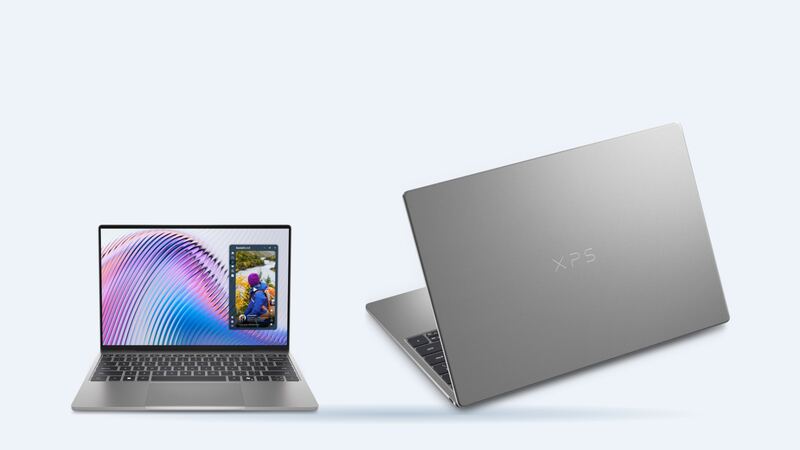
The 2026 XPS 13 is the most affordable XPS in years, starting at $699 for students and $799.99 at Dell when we checked. That changes the repair question. On a $2,000 laptop you just fix it. On a $799 one, a big quote deserves a second look. Here's how the numbers work.
Which screen fits your laptop
Good news: there's only one screen option on this model, so it's hard to order the wrong one.
| Option | Size | Resolution | Panel type | Refresh rate | Touch | Brightness |
|---|---|---|---|---|---|---|
| 2.5K touch display | 13.4 in | 2560 x 1600 | IPS LCD | 30Hz to 120Hz | Yes | 500 nits |
Dell's spec sheet lists the resolution and touch, and Hot Hardware's review confirmed it's an IPS panel, not OLED. Neither Dell nor the replacement listing we found shows a public part number, so use your Service Tag to confirm the exact part.
How to check yours:
- Windows: Settings > System > Display. You should see 2560 x 1600 as the recommended resolution.
- Service Tag: on the bottom of the laptop. Enter it on Dell's support site to see your original parts.
- Panel sticker: once the screen is out, the back of the panel shows its maker and part number. A good shop checks it before ordering.
What it costs
| Option | Resolution | Replacement screen part price | Shop price (part + labor) |
|---|---|---|---|
| IPS touch (with bezel) | 2560 x 1600 | $119.99 | About $270 |
| Dell, out of warranty | 2560 x 1600 | Not published | Quote after a paid diagnostic |
| Dell Care Plus / ProSupport Plus with accidental damage | 2560 x 1600 | Covered | 1 incident per contract year |
| Dell, under warranty (defect) | 2560 x 1600 | $0 | Lines, dead pixels or flicker not caused by damage |
The shop estimate is the part plus about $150 labor, which is typical for touch panels. Replacement screen part prices were listed as out of stock when we checked, so availability and price can change.
Dell's out-of-warranty process works the same for every model: book through Dell support, ship it in a prepaid box, get an emailed quote, then approve or decline. If you decline, Dell returns the laptop unrepaired, but the diagnostic fee isn't refunded.
Repair or replace? Do the math
- Add up the real cost. About $270 at a shop, or Dell's quote plus its diagnostic fee.
- Compare to new. Dell listed this XPS 13 from $799.99 when we checked, with $699 student pricing.
- Think about your specs. Memory can't be upgraded on this laptop. If you bought 8GB and it already feels slow, a new screen won't change that.
- Use our [repair-or-replace calculator](https://toprepairshop.com/tools/repair-or-replace-calculator). A common rule of thumb: if a repair costs more than about half the price of a comparable new laptop, think hard before paying.
For most people with a 16GB model, a $270 screen on a one-year-old laptop is still the better deal.
Is it really the screen?
- Connect an external monitor. If it looks right, the laptop works and the problem is the display or its cable.
- Touch acting up but the picture is fine? Update drivers and BIOS first. Touch glitches are sometimes software.
- Lines that change when you move the lid can be a cable rather than a dead panel.
- Cracked glass with a working picture still needs a new screen on a laptop this thin.
DIY or shop?
Dell treats screens on its new thin XPS models as technician parts. On the sibling XPS 14 (2026), Dell's service manual lists no customer-replaceable parts and says the display is a sealed assembly replaced as one piece. Expect a similar story here, and a touch panel is easy to damage during removal. If you're still under warranty, let Dell do it.
Questions to ask before paying
- Is it the same 2560 x 1600 touch IPS panel?
- Does the part include the bezel, and will touch work right away?
- What's the warranty on the part and labor?
- Will you need my BitLocker recovery key? (Have it ready, and back up first.)
The verdict
Have Dell Care Plus with accidental damage? Use it. If not, a shop repair around $270 usually beats buying a new XPS 13, especially on a 16GB model. Battery questions? Read our XPS 13 (2026) battery guide, and see everything else on the Dell XPS 13 (2026) page.
Prices checked October 15, 2026.