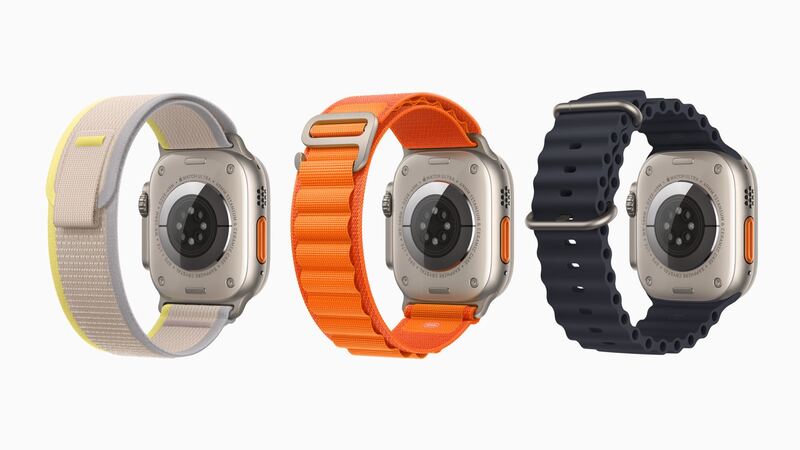
Apple rated the original Ultra (2022) for up to 36 hours of normal use, and up to 18 hours on LTE. That's what made it special. So when a four-year-old Ultra starts dying before bedtime, it feels like a bigger letdown than a regular watch. Let's figure out if it's the battery or something else.
Check battery health
On the watch: Settings > Battery > Battery Health, then look at Maximum Capacity.
| Maximum Capacity | What it usually means |
|---|---|
| 90% or more | Healthy. Look for a drain |
| 80% to 89% | Normal aging. You'll notice it on long days |
| Below 80% | Worn out. Battery service is worth it |
Apple designs Apple Watch batteries to hold up to 80% of their original capacity at 1,000 complete charge cycles. The Ultra's big battery means fewer cycles per week than a smaller watch, but four years of use still adds up.
What drains an Ultra fast
- GPS workouts and hikes. Long tracked hikes, rides and dives are the biggest battery users. That's expected.
- Cellular. Using LTE away from your iPhone uses more power. Apple's own number is up to 18 hours on LTE vs. up to 36 hours normally.
- Bright screen in the sun. The display goes up to 2000 nits. Great for trails, hard on the battery.
- Background apps and complications that refresh all day.
- An old bug. Restart the watch and install any available update. The original Ultra didn't get watchOS 27, but it still gets security updates.
What it costs
| Option | Price |
|---|---|
| Apple battery service | $99 |
| With AppleCare+ (below 80% health) | $0 |
| DIY battery from iFixit | $84.99 |
| Cracked screen or other damage at Apple | $499 ($79 with AppleCare+) |
DIY? Probably not
On most Apple Watches a DIY battery saves real money. On the Ultra it barely does. The iFixit battery is $84.99, only $14 less than Apple's $99 service. And you have to remove a sapphire screen glued into a titanium case. iFixit says Ultra screen jobs can take 1 to 2 hours. Break the screen and you're looking at a $218.99 replacement part or Apple's $499 damage price.
There's another reason to let Apple do it: the Ultra's 100-meter water rating. A DIY reseal won't match the factory seal, and this is a watch people take diving.
Should you keep it or upgrade?
Apple's watchOS 27 dropped the original Ultra this year. Apple says it still gets security updates and keeps working with current iPhones, but no new features. The Ultra 2 is still supported.
That doesn't change much for a $99 battery. If your Ultra works and you like it, $99 for all-day (or two-day) battery life is a good deal. It's when you add a cracked screen to the bill that upgrading starts to win.
Before you send it in
- Unpair it in the Watch app on your iPhone. That erases it and removes Activation Lock.
- Remove your band.
- Choose whether to keep or remove the cellular plan when prompted.
- Apple may give you a replacement watch instead of repairing yours. Apple says parts and units may be new or previously used genuine parts.
Verdict
Battery under 80% and everything else is fine? Pay the $99 (or $0 with AppleCare+). It's the cheapest way to get your Ultra back to multi-day battery. Battery fine but life is short? Work through the drain list above first.
Cracked screen too? Read the Ultra cracked screen guide. All prices are on the Apple Watch Ultra repair page.
Apple prices checked October 14, 2026.