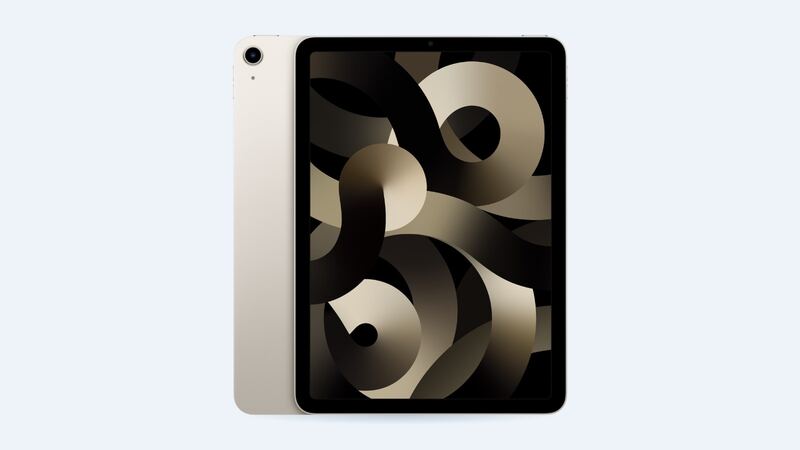
The Air 5 launched in March 2022. That means many of them are four-plus years into daily charging. The M1 chip is still plenty fast, so a tired battery is often the only thing making the iPad feel old. Fix that and it can feel new again.
What it costs
| Option | Price |
|---|---|
| Apple battery service | $119 |
| With AppleCare+ | $0 if under 80% capacity |
| Cracked screen or other damage at Apple | $499 / $549 |
| Aftermarket battery part (iFixit, for reference) | $59.99 |
No battery health screen on this one
Newer iPads show battery health in Settings. The Air 5 doesn't. Apple's list of iPads with that screen starts with the M2 iPad Air, so the M1 Air 5 just misses out. You'll have to go by how it behaves, or ask Apple to run a diagnostic before you pay.
Here's your baseline. Apple rates the Air 5 at up to 10 hours of web browsing on Wi-Fi or watching video, and up to 9 hours on cellular, from a 28.6 watt-hour battery. Apple also says its batteries are designed to hold up to 80% of their original capacity at 1,000 complete charge cycles.
Signs the battery is actually worn
- Light use (video, reading) gets you only a few hours.
- It jumps from 25% to dead.
- It shuts off during heavy apps even with charge left.
- It gets warm and drains fast doing simple things.
Free things to try first
- Settings > Battery: look for one app hogging power.
- Lower brightness and turn on Auto-Brightness.
- Turn off Background App Refresh for apps that don't need it.
- Restart. Then give it a day of normal use, especially right after an iPadOS update.
- Check for heat. If it lives in a hot car or a sunny spot, that's aging the battery fast.
Still draining after all that? It's the battery.
Apple or a shop?
Apple may hand you a replacement iPad instead of opening yours, so back up first. You get a warranty and a genuine battery.
A third-party shop has to remove the fully laminated display to reach the battery. The part itself is cheap (iFixit sells an aftermarket Air 4/5 battery for $59.99 with adhesive included), but the risky bit is the screen. Ask the shop:
- Is it a new battery, and what's the warranty?
- Who pays if the display cracks during removal?
- Will you re-seal the screen with fresh adhesive?
Is it worth it?
Yes, if: the screen is fine, the iPad still runs your apps well, and you want a couple more years out of it. The M1 chip still handles most things easily.
Maybe not, if: the screen is cracked too and you don't have AppleCare+. That's $119 plus $499 at Apple, which is close to Apple's $749 starting price for the current M4 iPad Air. Get a shop quote on the screen before deciding.
Help the new battery last
- Avoid heat. That's the big one.
- If it'll sit unused for weeks, store it around half charged.
- Use a decent USB-C charger, not a mystery gas-station brick.
Cracked screen too? See our iPad Air 5th gen cracked screen guide. All prices are on the iPad Air (5th generation) page. Apple prices checked October 14, 2026.