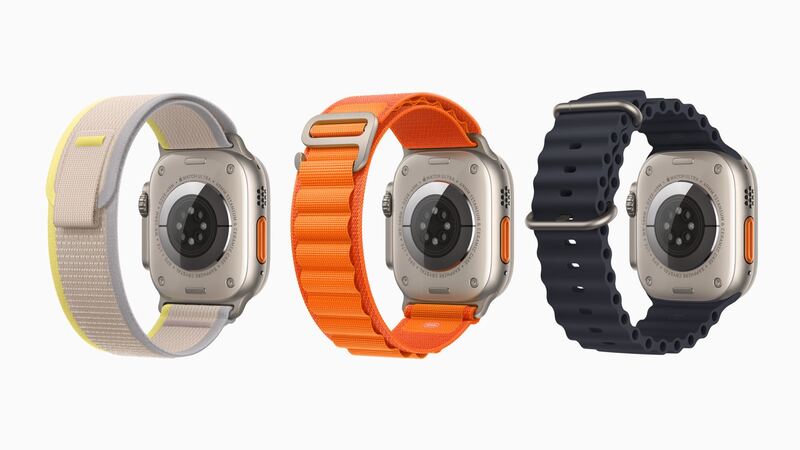
The first Ultra was built for hikers, divers and people who bang their wrist on rock walls. Its flat sapphire crystal sits behind a raised titanium edge, and it's tough. But tough isn't unbreakable. A hard hit on a corner, or a fall onto concrete at the wrong angle, can still crack sapphire.
What Apple charges
There's only one Ultra (1st generation) configuration: 49mm titanium, GPS + Cellular. That keeps the pricing simple.
| Repair | Apple price | With AppleCare+ |
|---|---|---|
| Cracked screen or other damage | $499 | $79 |
| Battery service | $99 | $0 below 80% health |
The Ultra 2 has the same $499 and $79 prices, and so does the Hermès Ultra. Apple inspects the watch first, so hidden damage (a bent case or water inside) can change the quote. Shipping fees may apply for mail-in service.
Scratch or crack?
Sapphire resists scratches really well, so what looks like a scratch might be a smear of metal from whatever you hit (aluminum railings are notorious). Try this before panicking:
- Wipe it with a damp microfiber cloth. Metal transfer marks often rub right off.
- Run a fingernail across the line. If your nail catches, it's a real scratch or crack.
- Check touch everywhere. Dead spots or ghost taps mean the display under the glass is hurt too.
- Look at the edges. Cracks often start at a corner where the impact hit.
Diving with a cracked Ultra
The original Ultra is rated to 100 meters under ISO 22810 and is dive-ready to 40 meters. Apple's own spec page notes that water resistance can diminish over time. A crack makes it much worse.
The DIY route
iFixit sells a 49mm Ultra (1st gen) screen for $218.99. That's about $280 less than Apple. But iFixit also says the Ultra is one of the harder Apple Watch screen jobs, with 1 to 2 hours of work because of the adhesive and the way the cables are routed. You'll need heat, thin opening picks and new screen adhesive. And after a DIY job, don't trust it underwater.
For most Ultra owners, the whole point is the rugged, sealed build. A DIY screen undoes some of that.
The watchOS 27 catch
This year, Apple's watchOS 27 dropped the original Ultra, along with the Series 6, 7 and 8 and the SE (2nd generation). Apple says these watches still get security updates and still work with current iPhones. Apple's reason: the new Siri features and the new tap gesture need the processing power in the Series 9 chip and later, and the Ultra 2 has that chip. The first Ultra doesn't.
Questions to ask before you pay
- Is it a genuine Apple display, and will the watch keep its water resistance rating?
- Can you test the touchscreen, Digital Crown, Action button and siren before I pay?
- Is the price final, with tax and shipping included?
- If it's a shop: what warranty do you give on the screen?
Before you send it to Apple
Unpair the watch in the Watch app on your iPhone. That backs it up, erases it and removes Activation Lock. Take off the band. If you have AppleCare+, ask about Express Replacement so you're not without a watch for long.
Is it worth fixing?
- With AppleCare+: absolutely. $79 for a watch that's back to spec is a great deal.
- Without AppleCare+: it's close. $499 keeps a capable titanium watch going, but it won't get new features. Price out a newer Ultra before you decide. Plenty of people will choose to upgrade.
- DIY: fine for a backup or desk watch. Not great if you dive.
If your Ultra's real problem is battery life, the Ultra battery guide covers the $99 fix. All prices are on the Apple Watch Ultra repair page.
Apple prices checked October 14, 2026.