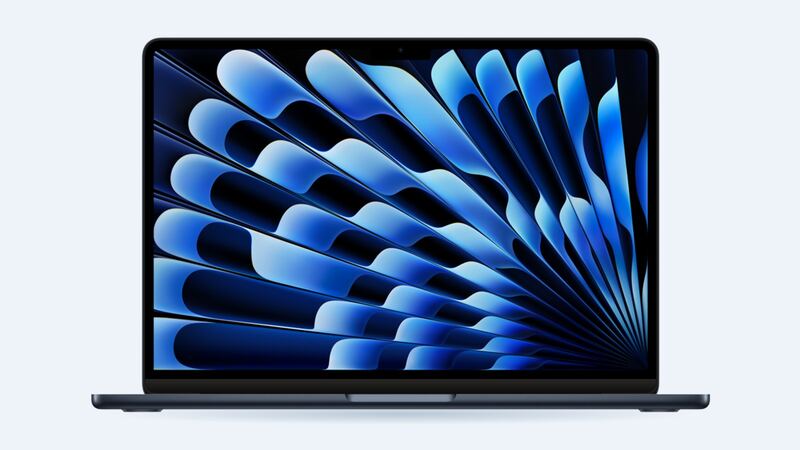
The M3 Air looks almost exactly like the M2 Air, and that goes for the screen too. Same 13.6-inch Liquid Retina panel, same thin lid, same way of cracking when something gets trapped in it. Here's what fixing it looks like.
What Apple charges
| Repair at Apple | Out of warranty | With AppleCare+ |
|---|---|---|
| Cracked screen | Quoted after inspection | $99 |
| Dents or case damage | Quoted after inspection | $99 |
| Water or other damage | Quoted after inspection | $299 |
| Battery service | $159 | $0 below 80% health |
Apple's repair page says the final fee is set after a technician inspects your Mac, and tax and possible shipping are on top. Ask for the quote in writing before you approve it.
What's inside that lid
Per Apple's specs, the 13-inch M3 Air has a 13.6-inch LED-backlit IPS display at 2560 x 1664, 500 nits, with True Tone and P3 wide color. It's not OLED, but it's still a full display assembly in an aluminum lid. When it cracks, the normal fix is to replace that whole assembly.
That's why prices are high everywhere:
| Option | Typical cost | Notes |
|---|---|---|
| Apple with AppleCare+ | $99 | Genuine part, Apple warranty |
| Apple without AppleCare+ | Quoted after inspection | Ask for the number first |
| Display assembly part (iFixit) | $499.99 | Part for the 2024 13-inch Air |
| Independent shop | Ask for a quote | Expect parts cost plus labor |
How did it crack?
If you didn't drop it, check what was on the keyboard. Apple says the gap between the display and keyboard is built to very tight tolerances, and specifically warns that closing the lid on a camera cover thicker than 0.1mm can damage the screen. Earbuds, a pen or a thick keyboard cover can do the same thing.
Sizing up the damage
- Glass crack, image fine: cosmetic for now. Keep it closed gently and nothing on the keyboard.
- Black blob or spreading ink: the LCD layer is broken. It'll grow.
- Vertical or horizontal lines: could be the panel or the display cable. A tech should check.
- External monitor works fine: the rest of the Mac is OK. Per Apple's specs, the M3 Air can run an external display (and two with the lid closed), so you can keep working while you decide.
DIY: possible, but know the catches
This Air's design is nearly identical to the M2 model, and the screen swap is similar: lots of tiny Torx and pentalobe screws, delicate antenna cables and hinge screws that strip if you look at them funny. With the M2 version, iFixit warns that a DIY screen swap disables True Tone, and that you may need to move the lid-angle sensor to the new screen.
What to ask before paying
- Is the part new, used or refurbished?
- Does it match my color (silver, starlight, space gray or midnight)?
- Will True Tone and the camera work after?
- What's the warranty for dead pixels or backlight issues?
Is it worth fixing?
Usually yes. The M3 Air is a 2024 machine with lots of life left, and a fix around $500 is much cheaper than a new laptop. With AppleCare+, it's $99, so don't wait. If the battery's fading too, our MacBook Air M3 battery guide has those numbers.
All Apple prices are on the MacBook Air 13-inch (M3, 2024) page. Prices checked October 14, 2026.