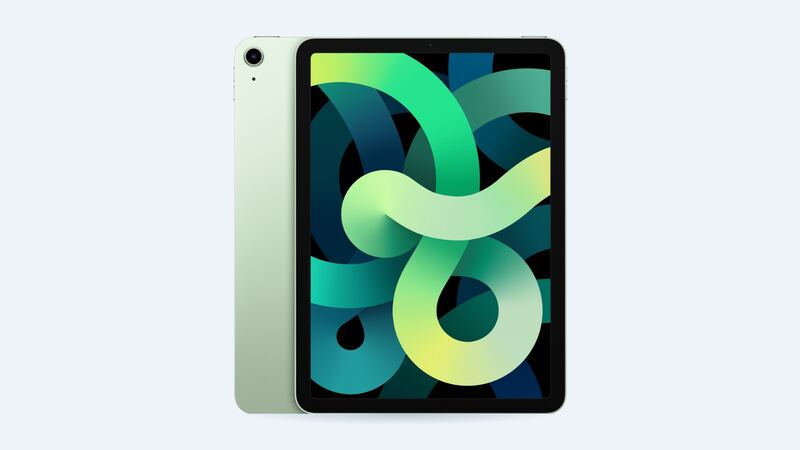
The Air 4 shipped in October 2020. Six years of charging takes a toll on any lithium battery. If your Air 4 used to last all day and now needs a top-up by lunch, the battery is the likely suspect. Let's make sure before you spend anything.
What it costs
| Option | Price |
|---|---|
| Apple battery service | $119 |
| With AppleCare+ | $0 if under 80% capacity |
| Cracked screen or other damage at Apple | $419 |
| Aftermarket battery part (iFixit, for reference) | $59.99 |
How to tell if the battery is worn
The Air 4 doesn't have a Battery Health screen in Settings. Apple added that only for newer models, starting with the M2 iPad Air. So you judge by behavior.
Apple rates the Air 4 at up to 10 hours of web browsing on Wi-Fi or watching video, and up to 9 hours on cellular, from a 28.6 watt-hour battery. Apple also says its batteries are designed to hold up to 80% of their original capacity at 1,000 complete charge cycles. After six years, plenty of Air 4s are past that.
Signs it's the battery:
- Light use like video or reading gets you only a few hours.
- The percentage falls fast once it's under 30%.
- It shuts off with charge still showing.
- It's only reliable while plugged in.
Rule out software first
- Settings > Battery: see which apps used the most power. One rogue app can do a lot of damage.
- Brightness: turn it down and turn on Auto-Brightness.
- Background App Refresh: turn it off for apps that don't need it.
- Restart. It clears stuck processes, especially after updates.
- Update. The Air 4 is on Apple's iPadOS 27 list, so make sure you're current.
If you've done all that and battery life is still bad, it's the battery.
Apple or a shop?
Apple may give you a replacement iPad rather than repair yours. Back up first. You get a genuine battery and a warranty.
A shop has to remove the fully laminated display, which is glued down, to reach the battery. The part is cheap (iFixit sells an aftermarket battery that fits the Air 4 and Air 5 for $59.99), but the screen is expensive to break. Before you hand it over, ask:
- Is the battery new? What's the warranty?
- Who covers it if the display cracks during the job?
- Will you use fresh adhesive to re-seal the screen?
Is it worth it?
Yes if: the screen and USB-C port are fine, the A14 still keeps up with your apps, and you want a couple more years from it. $119 is a lot less than a new iPad.
Maybe not if: the screen is also cracked and you'd pay Apple $419 for that too. Together that's more than Apple's $449 starting price for the new basic iPad (A16).
Make the new battery last
- Keep it out of heat. Hot cars and sunny windows age batteries fastest.
- Store it half charged if it'll sit for weeks.
- A decent USB-C charger is all you need.
Screen cracked too? Read our iPad Air 4th gen cracked screen guide. All prices are on the iPad Air (4th generation) page. Apple prices checked October 14, 2026.