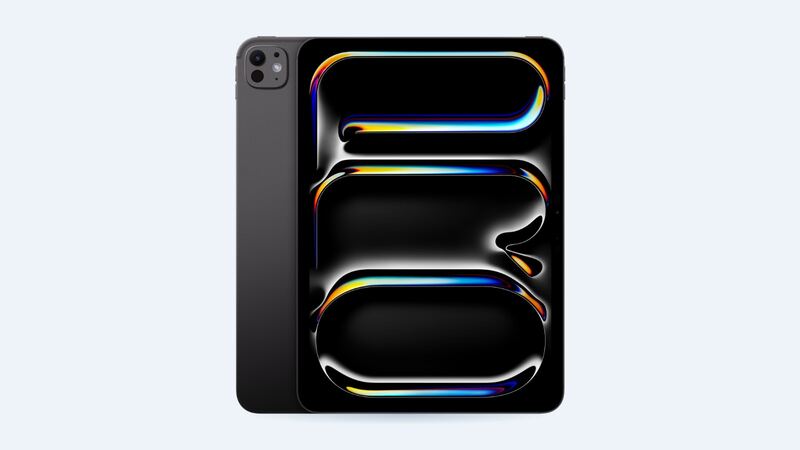
The M4 iPad Pro is thin. Really thin: 5.3 mm, per Apple. That's great in a bag and less great when it's time to open it up. The good news is the battery is easier to reach than on any iPad Pro before it. The better news is you might not need a new one yet. Let's check.
What it costs
| Option | Price | Notes |
|---|---|---|
| Apple battery service | $179 | Same price for Wi-Fi and Cellular |
| Apple with AppleCare+ | $0 | When capacity is below 80% |
| Apple, other damage | $949 / $999 | Wi-Fi / Cellular. $99 with AppleCare+ |
| Independent shop | Get a quote | Ask if they've done this model before |
Apple's prices are out-of-warranty estimates. Tax is extra, and Apple adds a shipping fee if your iPad has to be shipped. If Apple finds other damage during inspection, like a bent case, the quote can change.
Check battery health in Settings
This is one of the first iPads that shows real battery data. Go to Settings > Battery > Battery Health. You'll see:
- Maximum Capacity: how much charge it holds compared with new.
- Cycle Count: total full charge cycles so far.
- Manufacture date and first use date: handy if you bought it used.
Apple says iPad batteries are designed to keep up to 80% of their original capacity at 1,000 complete charge cycles. One cycle is using 100% of the battery's capacity in total, not one plug-in. Draining 50% today and 50% tomorrow counts as one cycle.
So if your M4 iPad Pro shows 91% after a year, it's aging normally. If it's down near 80% and you have AppleCare+, that's your cue to book the free service.
Signs the battery is actually the problem
- It no longer gets close to Apple's rating of up to 10 hours of web browsing or video on Wi-Fi.
- Maximum Capacity is under 80%.
- It shuts off with charge still showing.
- The screen looks like it's lifting from the frame or the case feels bulged. That's a swollen battery. Stop charging it.
Things to try first
- Check Settings > Battery for an app that's hogging power. Video calls, games and pro apps on that 120Hz tandem OLED display use a lot.
- Turn screen brightness down a notch. Apple's battery rating assumes 50% brightness.
- Use the right charger. The iPad Pro ships with a 20W USB-C adapter. A weak phone charger can barely keep up while you work.
- Restart and update iPadOS. After a big update, background indexing drains battery for a day or two.
- Keep it out of heat. A hot car ages any lithium battery fast.
Why DIY isn't a great idea here
iFixit's teardown called the M4 iPad Pro the first iPad Pro where the battery can come out right after the screen, which is a big improvement over older models where nearly everything had to come out first. But "after the screen" is the catch. The display is glued in, and it's the most expensive part in the tablet. iFixit also found that in this thin design, parts like the speakers, daughterboard and antenna cables are glued down because there's no room for screws.
Picture this: you save a little on a DIY battery, crack the tandem OLED on the way in, and now you're looking at the $949 damage price. For most people, $179 at Apple is the safer bet.
What to ask before you pay
- Is it a battery repair or a replacement unit? (Apple decides based on your device and issue.)
- Will my data be wiped? Back up first either way.
- How long will it take, and is there a shipping fee?
- For shops: is the battery genuine, and what's the warranty?
Repair or replace?
Repair. The 11-inch M4 iPad Pro is a recent, high-end tablet, and $179 is a small fraction of what a new one costs. Even out of warranty, a fresh battery makes it feel close to new for years of use. The only time to think about replacing is if the battery is just one of several problems, like a cracked screen plus a bent case, where damage pricing applies instead.
See every repair price on the iPad Pro 11-inch (M4) page. Apple prices checked October 14, 2026.