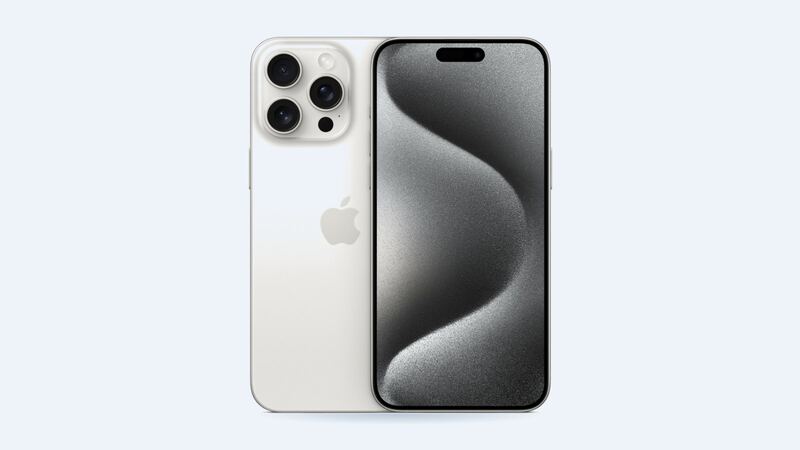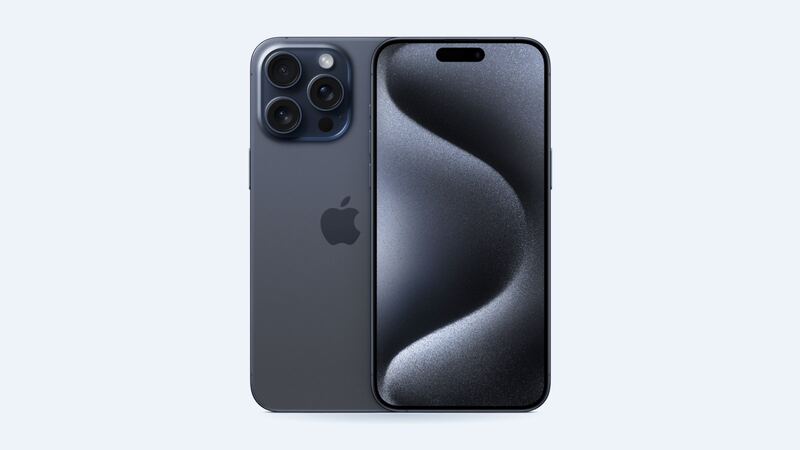
The iPhone 15 Pro Max has three rear cameras: a 48MP main camera, a 12MP ultra wide, and a 12MP 5x telephoto with a 120 mm focal length. That 5x lens is the big reason people buy this phone. So when photos suddenly look like they were taken on a roller coaster, it hurts.
What the symptoms usually mean
- Everything is blurry or hazy: often a smudged or scratched lens cover. Start there.
- Black screen in the Camera app: could be software, a case blocking the lens, or a failed camera. Test each lens separately.
- Video looks wavy or jello-like, image wobbles: classic sign of failed optical image stabilization (OIS).
- Buzzing or rattling sound when you open the camera: also points to the OIS or autofocus hardware.
- One lens works, another doesn't: the rear cameras live in one sealed module, so this still usually means replacing the whole rear camera assembly.
- Cracked lens cover: the glass over the lens is damaged. The camera underneath may be fine, but dust and moisture can now get in.
Free fixes to try first
These come straight from Apple's own troubleshooting steps:
1. Take off the case, lens protector or any clip-on lens. Accessories with magnets near the camera can cause blur or wobble on their own.
2. Clean the lenses with a microfiber cloth. Pocket lint on a lens looks exactly like a broken camera.
3. Restart the phone.
4. Update iOS in Settings > General > Software Update.
5. Test each camera. Switch between 0.5x, 1x and 5x, and flip to the front camera. Note which ones fail.
If the camera still misbehaves after all that, it probably needs service.
The motorcycle problem
Apple has warned that long exposure to strong vibration in certain frequency ranges can hurt the stabilization and autofocus systems in iPhone cameras. Apple specifically says not to mount an iPhone straight onto the frame or handlebars of a high-power motorcycle. For mopeds and scooters, Apple suggests at least a vibration-dampening mount.
So if your camera started wobbling after a summer of riding with the phone on the handlebars, that's likely why.
What it costs
| Option | Price | Notes |
|---|---|---|
| Apple, rear camera | $249 | Genuine part, Apple's service guarantee |
| Apple, AppleCare+ | Not listed separately | Apple lists other accidental damage at $99 |
| Apple, other damage | $779 | If there's frame or liquid damage too |
| Independent shop | Get a quote | Should be a full rear camera assembly |
Repair shops that work on this model say the stabilization unit can't be fixed by itself. The fix is replacing the entire rear camera assembly.
Genuine part or not?
The rear camera shows up in Settings > General > About under Parts and Service History. A non-genuine or used camera can show as Unknown or Used, and Apple says an Unknown part might affect trade-in value. On the iPhone 14 and 15 models, Apple's Repair Assistant supports the rear camera, which helps a genuine replacement finish setting up properly.
What to ask the shop before you pay
- Is it a full rear camera module, new or used?
- Will all three lenses, including the 5x telephoto, work properly afterward?
- Can I test video stabilization before I pay?
- What's the warranty?
Is it worth fixing?
Yes. The iPhone 15 Pro Max is on Apple's iOS 27 support list, and its camera is the main reason you own it. At $249, a genuine repair is about a third of Apple's $779 other-damage price and a small fraction of a new phone.
Dropped it and cracked the back too? See our iPhone 15 Pro Max back glass guide, or check all prices on the iPhone 15 Pro Max page.
Apple prices checked October 14, 2026.