When it was new, Apple rated the Series 7 for up to 18 hours of battery life. By now most Series 7 watches have been charged almost every night since 2021. If yours used to make it to bedtime and now taps out mid-afternoon, the battery has probably just aged.
What it costs
| Option | Price |
|---|---|
| Apple battery service | $99 |
| With AppleCare+ | $0 below 80% capacity |
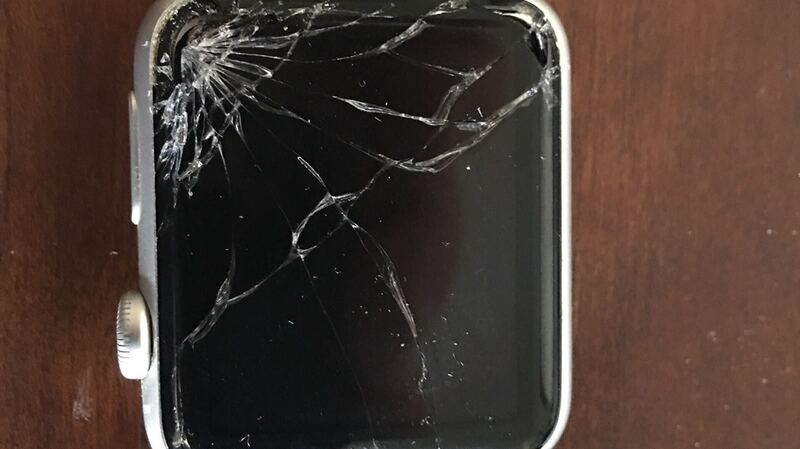
| Cracked screen or other damage | $299 to $499 by case |
The $99 is the same whether you have aluminum, stainless steel, Hermès or titanium. Nice change from screen repairs, where the case material decides the price.
Check battery health
On the watch, open Settings > Battery > Battery Health and look at Maximum Capacity.
| Maximum Capacity | What it means |
|---|---|
| 90% or higher | Healthy. Look at settings and apps |
| 80% to 89% | Normal aging. Fine for most people |
| Under 80% | Worn. Battery service will help |
Apple designs Apple Watch batteries to keep up to 80% of their original capacity at 1,000 complete charge cycles. A watch charged every night for four or five years can be well past that.
Try these before you pay
- Turn off Always On in Settings > Display & Brightness if you can live without it.
- Trim notifications and background refresh for apps you don't need on your wrist.
- Expect shorter days on workout days. Long outdoor workouts with GPS use a lot of power. That's normal.
- Update watchOS and restart. Battery bugs do get fixed in updates.
- Mind the heat. Apple says its devices work best at 32° to 95° F (0° to 35° C), and even storing a battery somewhere hot can damage it permanently. Don't leave the watch on a car dashboard.
- Unpair and pair again as a last resort to clear out bad settings.
How Apple handles it
Apple's Apple Watch support page talks about arranging "a repair or replacement," and with Express Replacement it will send a replacement watch before you even send yours back. So don't be surprised if you get a different watch back that looks and works like new instead of your original one with a fresh battery.
Before you send it in
Unpair the watch before it goes anywhere. On your iPhone, open the Watch app, tap All Watches, tap the info button next to your watch, and choose Unpair Apple Watch. Your iPhone backs up the watch as part of unpairing and turns off Activation Lock, so Apple or a shop can work on it. When you get a watch back, pair it again and restore from that backup to get your faces, settings and health data back.
Is $99 worth it on a 2021 watch?
If the screen has no cracks, the sensors work, and you're happy with what the watch does, yes. $99 for all-day battery is a lot less than any new Apple Watch. And if you own a stainless steel or titanium Series 7, the math tilts even more toward fixing it.
Skip it if the screen is also cracked. Then you're looking at $299 to $499 instead, and a newer watch starts to look smarter. Our repair or replace calculator helps you compare in a minute.
Cracked screen? Here's what a cracked Series 7 costs. All prices are on the Apple Watch Series 7 page. Apple prices checked October 14, 2026.