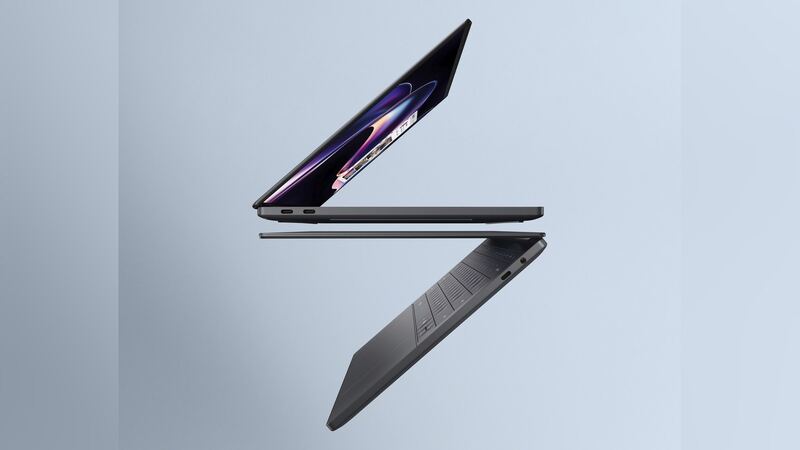
Here's some rare good news for a thin premium laptop: the XPS 14's battery isn't glued in. That makes the swap much safer and cleaner than on a lot of ultrabooks. The catch is that it's buried under the top of the laptop. Let's walk through it.
What you're working with
- Battery: 70Wh, 3-cell, using higher energy density cells that ServeTheHome says debuted in this XPS 14 and the XPS 16.
- Location: under the palm-rest and keyboard assembly, which comes off first.
- Held by: seven M2x3 screws, plus a cable with a pull tab.
- Dell's label: field-replaceable unit (FRU). Dell lists no customer-replaceable parts in this laptop.
Dell's manual adds one quirk: removing the battery resets your BIOS settings to default. Write down anything you've changed first.
What it costs
| Route | Cost | Notes |
|---|---|---|
| Dell, in warranty | $0 | Battery defects; standard plan is mail-in service |
| Dell Care Plus | Covered | Plus accidental damage, 1 incident per contract year |
| Dell, out of warranty | Quote after diagnostic | Diagnostic fee is nonrefundable; shipping prepaid both ways |
| Independent shop | Quote | Ask for a genuine Dell battery |
We couldn't find a published Dell price or a trustworthy retail listing for the XPS 14 DA14260 battery yet. Get your quote by entering your Service Tag on Dell's support site or calling Dell support, then compare with a local shop.
Is your battery really worn out?
- Run Dell's diagnostics. Dell SupportAssist (or the pre-boot check) tests the battery and reports its health.
- Check Windows. Run powercfg /batteryreport in Command Prompt. Compare design capacity with full charge capacity. A big gap means real wear.
- Look at settings. Dell laptops can limit charging to protect the battery, which can look like "it won't charge to 100%." That's a feature, not a fault.
- Watch for swelling. A lifting touchpad, a top deck that won't sit flat, or a laptop that rocks on the desk are warning signs.
Doing it yourself
Because there's no adhesive, a careful person with the right drivers can do this. Dell's steps: follow the safety prep, remove the palm-rest and keyboard assembly, disconnect the battery cable, remove the seven screws, and lift the battery out (a plastic scribe helps). ServeTheHome called the battery itself "an easy swap" but warned that getting through the top deck, held by screws and clips, "is not for the faint of heart."
Dell warns that damage from improper replacement isn't covered by the warranty, and that non-Dell batteries may increase the risk of fire. Buy a genuine Dell battery.
Questions to ask a shop
- Is the battery genuine Dell, and what's its capacity?
- Will you reset BIOS settings I need, like boot order or charge limits?
- What's the warranty on the battery and the labor?
- If my battery is swollen, how do you handle and recycle it?
Signs it's really time
- The Windows battery report shows full charge capacity far below the 70Wh design capacity.
- Dell diagnostics flag the battery, or Windows warns you to consider replacing it.
- The laptop shuts off at 10% to 20% or only runs while plugged in.
- The touchpad clicks oddly or the top deck isn't flat. Treat that as swelling and stop using it.
What happens when you send it to Dell
Dell's standard coverage on this laptop is mail-in. Dell sends a box and prepaid label, a tech diagnoses it, and you get the result by email or text. In warranty, a defective battery is simply replaced. Out of warranty, you see the quote first and can decline, though the diagnostic fee isn't refunded. Before you ship it, back up your files, note any BIOS settings you changed, and have your BitLocker recovery key handy.
Is it worth replacing?
Yes. The XPS 14 (2026) is a high-end laptop with years left in it, and a screw-in battery is one of the easier jobs on it. If you're weighing a repair quote against upgrading, try our repair-or-replace calculator. For screen problems, see our XPS 14 (2026) screen guide, and the full list is on the Dell XPS 14 (2026) page.
Checked October 15, 2026.