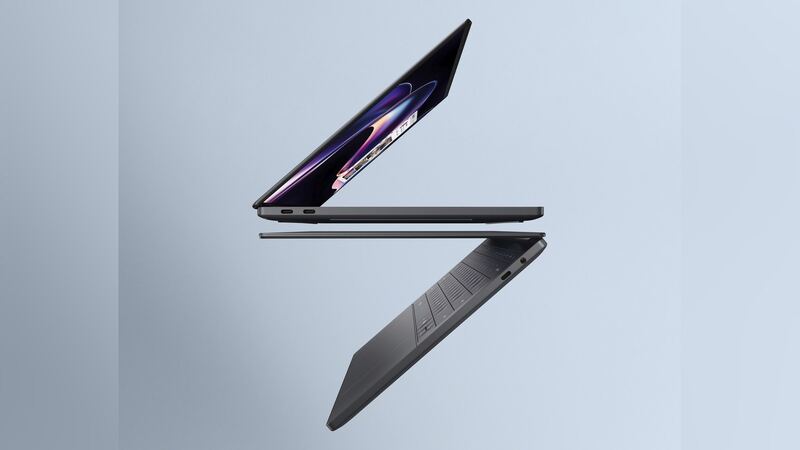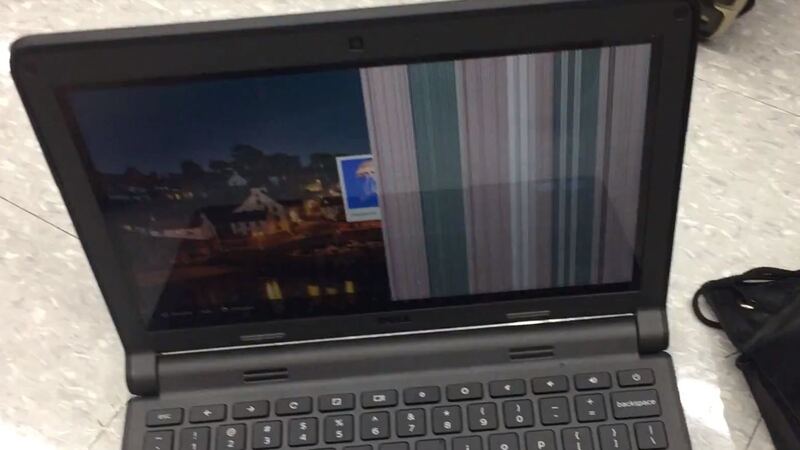
The 2026 XPS 14 is thin, light and beautifully built. That also means the screen is a tight, precise part, and the right replacement depends on which panel your laptop shipped with. Order the wrong one and it either won't fit or won't look right. Here's how to get it right the first time.
Which screen fits your laptop
Dell sold the XPS 14 (2026) with two different panels. They are not interchangeable without matching the exact part, so check yours before you buy anything.
| Option | Size | Resolution | Panel type | Refresh rate | Touch | Brightness |
|---|---|---|---|---|---|---|
| 2K display | 14.0 in | 1920 x 1200 | IPS LCD | 1Hz to 120Hz | No | 500 nits |
| 2.8K display | 14.0 in | 2880 x 1800 | Tandem OLED | 20Hz to 120Hz | Yes | 400 nits, DisplayHDR True Black 500 |
Neither Dell's store page nor the replacement listings we found show a public part number for these panels. Your Service Tag is the reliable way to get the exact part.
How to check which one you have:
- Windows: Settings > System > Display. Look at Display resolution. 1920 x 1200 is the IPS; 2880 x 1800 is the OLED.
- Touch test: tap the screen. If it responds, you have the OLED touch version.
- Service Tag: it's on the bottom of the laptop. Enter it on Dell's support site to see the original configuration and parts list.
- Panel sticker: a shop that opens the laptop will see the panel maker and part number printed on the back of the screen. That's the final check before ordering.
What it costs
| Option | Resolution | Replacement screen part price | Shop price (part + labor) |
|---|---|---|---|
| IPS LCD | 1920 x 1200 | $74.99 | About $195 to $225 |
| OLED touch | 2880 x 1800 | $144.99 | About $295 |
| Dell, out of warranty | Either | Not published | Quote after a paid diagnostic |
| Dell Care Plus with accidental damage | Either | Covered | 1 incident per contract year |
Shop prices are the part plus typical labor: about $120 for a standard screen and about $150 for harder jobs like OLED and touch panels. On this laptop, the IPS replacement listing is described as including a touch digitizer and bezel, while Dell sells the IPS model as non-touch. Ask the shop to confirm the part matches your screen before it's ordered. Replacement screen part prices were listed as out of stock when we checked, so availability and price can change.
IPS vs. OLED: does it matter which you buy?
Yes. Always replace like with like. The OLED version has touch built in and the IPS version doesn't, they run at different resolutions and refresh ranges, and Dell configures the laptop around the panel it shipped with. "Upgrading" from IPS to OLED with a third-party part is a gamble we wouldn't take.
What Dell's manual says
Dell's service manual for the XPS 14 DA14260 calls the display a Hinge-Up Design assembly that "cannot be further disassembled," so if any part of it fails, Dell replaces the whole assembly. To reach it, a tech removes the palm-rest and keyboard assembly, then a display-cable bracket (two screws), unplugs two display connectors and removes six hinge screws. Dell lists no customer-replaceable parts in this laptop and warns that damage from improper replacement isn't covered by warranty.
Is it really the screen?
- Connect an external monitor. If it looks perfect, the laptop is fine and the problem is the display or its cable.
- Lines that change when you move the lid often point to a cable or connector rather than a dead panel.
- Flicker only at low brightness can be a driver issue. Update graphics drivers and BIOS from Dell first.
- Cracked glass with a working picture still needs a new screen.
DIY or shop?
ServeTheHome's teardown of this laptop called getting through the top deck (held by screws and clips) "not for the faint of heart." The steps are public in Dell's manual, but you'll be removing the keyboard deck on a $2,000-plus laptop. For most people, the $120 to $150 in labor is money well spent. If you're still under warranty, let Dell handle it.
Questions to ask before paying
- Is the new screen the same type, resolution and touch setup as my original?
- Is it a full assembly or a panel with bezel?
- Is the diagnostic fee credited toward the repair (Dell)?
- What's the warranty on the part and labor?
- Do you need my BitLocker recovery key? (Have it ready, and back up first.)
Is it worth fixing?
Almost always. Dell's own store listed the XPS 14 (2026) from $2,149.99 when we checked, so even an OLED repair at around $295 is a small fraction. Run your quote through our repair-or-replace calculator if you're unsure. Battery fading too? See our XPS 14 (2026) battery guide, and find everything else on the Dell XPS 14 (2026) repair page.
Prices checked October 15, 2026.