The 2026 XPS 16 is Dell's big, thin flagship again, and the screen is a huge part of what you paid for. Before you get a quote, figure out which panel you have, because it changes the part, the price and how easy it is to source.
Two very different screens
Dell's spec page lists a 16-inch non-touch 2K LCD at 1-120Hz and 500 nits, plus a 16-inch 3200 x 2000 OLED touch panel on higher configurations. Tom's Hardware describes the OLED as a tandem OLED at 120Hz, and says the base IPS panel is non-touch with no glass surface, about a $150 difference when you configure it. A tandem OLED touch panel is the pricier part to replace, so expect a bigger bill if that's yours.
To check, look up your Service Tag (on the bottom sticker or in Dell's SupportAssist app) on Dell's support site. It lists the exact parts your laptop shipped with.
Which screen fits your laptop
Dell sells the 2026 XPS 16 with two 16-inch, 16:10 panels, and a replacement has to match the one you have:
| Panel | Resolution | Refresh | Touch | Brightness |
|---|---|---|---|---|
| 2K IPS LCD (base) | 1920 x 1200 | 1-120Hz | Non-touch | 500 nits |
| 3.2K tandem OLED | 3200 x 2000 | 20-120Hz | Touch | 400 nits |
How to check which one you have:
- Windows Settings: open Settings > System > Display. The resolution marked "(Recommended)" is your panel's native resolution: 1920 x 1200 means the LCD, 3200 x 2000 means the OLED.
- Touch or not: tap the screen, or check Settings > System > About for "Pen and touch." Only the OLED is touch.
- Service Tag: enter it on Dell's support site to see the exact display part your laptop shipped with.
- Panel sticker: the panel's own part number is on a label on its back. A shop can read it once the old screen is out, and it's the safest number to match. Device Manager also shows a panel code under Monitors > your display > Properties > Details > Hardware Ids.
What a screen repair costs
| Route | What you pay | Notes |
|---|---|---|
| Dell warranty, panel defect, no damage | $0 | Base warranty on the store page: Basic Hardware Service with Mail-In; Dell Care Plus adds onsite service after remote diagnosis |
| Accidental damage plan (if bought with the laptop) | Covered per plan | Dell says accidental damage coverage can only be added at purchase |
| Dell out of warranty | Diagnostic fee plus quoted repair | Fee is nonrefundable; decline and it comes back unrepaired |
| Independent shop | Price after diagnosis | uBreakiFix lists Dell screen repair, free diagnostics and a 1-year repair warranty |
| Independent shop with an aftermarket part | About $195 to $295 | Part plus labor; see the part prices below |
| DIY | $74.99 to $144.99 for the part alone | Aftermarket parts only so far, and out of stock when we checked |
Dell's out-of-warranty article says eligible issues include physical damage, liquid damage and cracked or bent components, so a broken screen is something Dell will quote. The diagnostic fee amount shows up in the offer when you book, not in the article.
Replacement screen part prices
| Option | Resolution | Panel and connector | Replacement screen part price | Shop price range (part + $120 to $150 labor) |
|---|---|---|---|---|
| IPS LCD assembly (screen, touch layer and bezel) | 1920 x 1200 | 16-inch IPS | $74.99 | $195 to $225 |
| OLED touch assembly (screen, touch layer and bezel) | Not stated on the listing; the factory OLED is 3200 x 2000 | 16-inch OLED touch, 40-pin connector | $144.99 | $265 to $295 |
Both listings were out of stock when we checked and didn't print a panel part number. The LCD listing describes a touch assembly, but Dell sells the 1920 x 1200 LCD as non-touch, so have the shop confirm the part number matches your old screen before ordering. The OLED listing doesn't say tandem OLED or 3200 x 2000, and a genuine Dell tandem OLED may cost more. Labor usually runs $120 to $150 for these screens because this is a thin, clip-heavy laptop with a bonded display, so each range is the part plus $120 at the low end and plus $150 at the high end.
Is it really the panel?
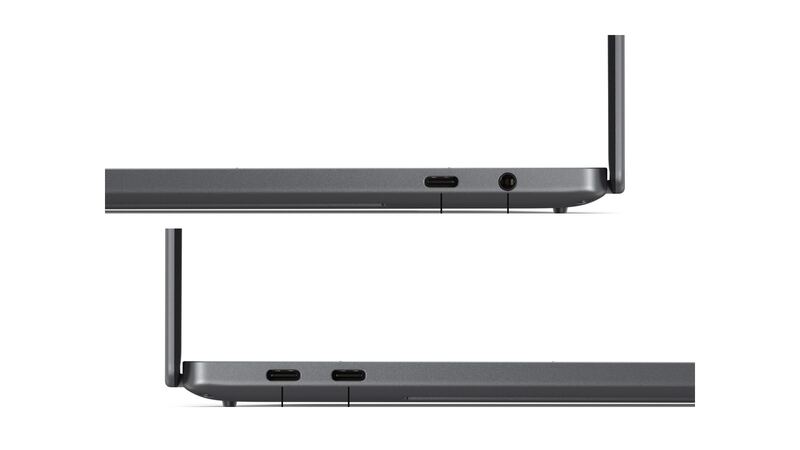
- External display test: plug a monitor into one of the Thunderbolt ports. If the external picture is clean, the problem is the screen or its cable.
- Lines that change when you move the lid often point to the display cable or hinge area.
- Touch broken but picture fine (OLED touch models): run Windows Update and Dell SupportAssist, and check the touch screen device in Device Manager.
- Built-in diagnostics: Dell laptops include a pre-boot hardware test that can check the LCD. Dell support will usually ask you to run it.
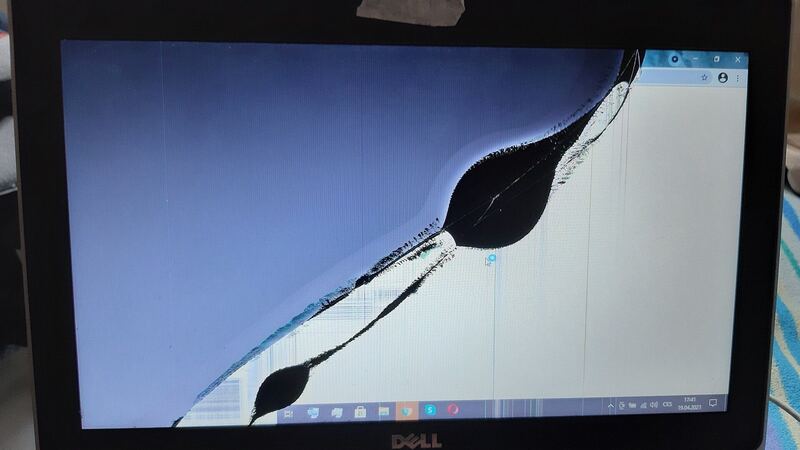
- Spreading black or purple spots after a drop mean the panel itself is damaged.
Why DIY is a gamble
Getting inside the 2026 XPS 16 is harder than on the older model. Tom's Hardware says the bottom cover uses four Torx screws but then has to be popped off its clips by pushing a thin tool up through the rear screw holes. HotHardware says this version uses fewer screws and more clips, and their reviewer broke two plastic spudgers trying to remove the keyboard tray before giving up. A display assembly on a laptop this thin is fragile, and a new 2026 panel isn't easy to buy. This is a job for Dell or a shop that can show you a genuine part.
Ask before you pay
- Is the replacement an OEM panel that matches my configuration (LCD or OLED touch)?
- Is it the panel only or the full display assembly?
- What's the warranty on parts and labor?
- If it's Dell: what's the diagnostic fee, and is shipping included both ways?
Worth fixing?
On a laptop that started around $1,750 and climbs past $3,000, a screen repair is almost always worth a quote. If you're out of warranty and the number comes back large on an older unit, run it through our repair-or-replace calculator. More fixes for this model are on the Dell XPS 16 (2026) repair page, and charging trouble has its own guide: XPS 16 not charging.
Prices checked October 15, 2026.