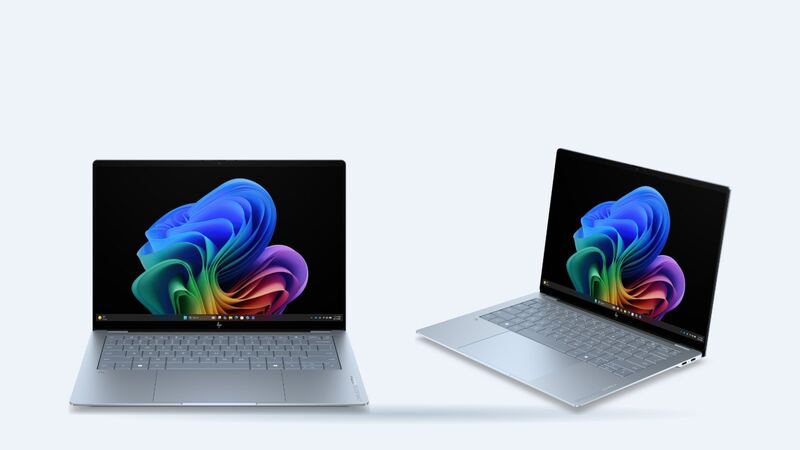
The OmniBook Ultra 14 is one of the longest-lasting compact laptops reviewers have tested. That's exactly why a battery that suddenly dies by mid-afternoon feels so wrong. Before you assume the battery is shot, check whether something else is eating it.
How long it should last
Reviewers tested two very different configurations:
| Version | Battery | Reviewer result |
|---|---|---|
| Snapdragon X2 Plus, 2K OLED (ITPro) | 70Wh | About 37 hours 15 minutes looping video at 170 nits, and three working days with a commute |
| Intel Core Ultra X9 388H, 3K OLED (Engadget) | Not stated | 19 hours 14 minutes in PCMark 10 Modern Office |
Your mileage will be lower with the 3K screen cranked up, lots of browser tabs, or video calls. But if you're getting a small fraction of those numbers on light work, something's off.
Is it really the battery?
- Run a battery report. Open a command prompt and type powercfg /batteryreport. Compare Design Capacity with Full Charge Capacity. A big gap means real wear.
- Use HP's own check. The HP Support Assistant app includes a battery check that reports whether the battery passes and whether HP considers it worn.
- Look for battery hogs. Settings, then System, then Power and battery shows which apps used the most power. A stuck background process can drain a healthy battery.
- Check the charger and port. If it won't charge at all, try another USB-C port and a known-good USB-C charger before blaming the battery.
- Update everything. BIOS and firmware updates from HP sometimes change charging behavior.
What a replacement costs
| Route | What you pay | Notes |
|---|---|---|
| HP limited warranty, defect | $0 | Coverage length is in HP's warranty statement for your unit |
| HP out of warranty | Quote | No published battery price for this model |
| HP Care Pack | Depends on the plan | HP sells Care Packs and advertised 20% off select ones with a PC purchase |
| Independent shop | Price after diagnosis | uBreakiFix offers free diagnostics and a 1-year repair warranty |
| DIY | Cost of the genuine part, once available | Four corner screws, then disconnect the battery first |
HP's product page doesn't list the battery capacity, so don't buy a replacement just because the watt-hours match. Two OmniBook Ultra 14 versions exist (Intel kd models and Snapdragon kg models), and parts can differ between them. Use the full product number on the bottom sticker or in HP Support Assistant to look up the right spare part.
Swelling: stop and get help
If the bottom panel bulges, the touchpad stops clicking, or the laptop wobbles on a table, the battery may be swelling. Unplug it, stop using it, and don't press on it or try to pry it out yourself. Punctured lithium batteries can catch fire. HP or a shop should handle it.
DIY or pro?
If you're out of warranty, the battery isn't swollen, and you can get the correct genuine part, a battery swap here is a reasonable job for someone comfortable with small screws. Shut the laptop down fully, remove the four corner screws, lift the base plate carefully (ITPro describes it as plastic), and disconnect the battery before touching anything else. If you're still under warranty, let HP do it for free.
Ask the shop
- Is the battery an HP part that matches my product number?
- Did you check the charger and port, not just the battery?
- What's the warranty on the new battery?
- Will you recycle the old one?
Worth fixing?
Yes, nearly always. A new battery restores the thing this laptop is best at, and it's designed to be reachable. If other parts are failing too, run them through our repair-or-replace calculator. More fixes for this model are on the HP OmniBook Ultra 14 repair page, and screen damage is covered in our OmniBook Ultra 14 screen guide.
Prices checked October 15, 2026.