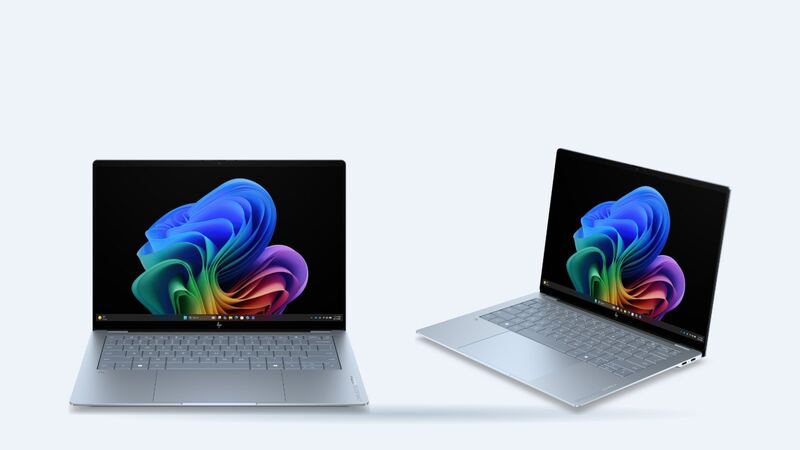
The OmniBook Ultra 14 is HP's thin, premium 14-inch, and the screen is the star. Every 14-inch model is an OLED touchscreen, so there's no cheap LCD version to fall back on. That's great when it works and expensive when it doesn't.
Which screen do you have?
HP's product page lists two OLED panels for the 14-inch:
- 3K (2880 x 1800): up to 120Hz, 500 nits SDR and 1,100 nits HDR. Engadget notes Intel models come only with this panel.
- 2K (1920 x 1200): 300 nits, 100% DCI-P3, offered on Snapdragon configurations like the 14-kg000.
ITPro, testing the 2K Snapdragon version, said it uses Corning Gorilla Glass 3 and is very reflective. Colors are Stone blue (the Snapdragon models HP lists) and Eclipse gray (Intel). Which panel you have matters, because a shop has to order the exact one. Find your full model number on the sticker underneath or in the HP Support Assistant app before asking anyone for a price.
Which screen fits your laptop
Here are the two 14-inch, 16:10 OLED touch panels side by side. A replacement has to match yours:
| Panel | Resolution | Refresh | Touch | Brightness | Found on |
|---|---|---|---|---|---|
| 3K OLED | 2880 x 1800 | Up to 120Hz | Touch | 500 nits SDR, 1,100 nits HDR | Intel models (only option) |
| 2K OLED | 1920 x 1200 | Not stated by HP | Touch | 300 nits | Snapdragon models like the 14-kg000 |
How to check which one you have:
- Windows Settings: open Settings > System > Display. The resolution marked "(Recommended)" is your panel's native resolution: 2880 x 1800 or 1920 x 1200. Advanced display shows the refresh rate.
- Model number: the full model on the bottom sticker or in HP Support Assistant (14-kd or 14-kg plus the rest of the number) tells HP exactly which panel shipped.
- Panel sticker: the panel's own part number is on a label on its back. A shop can read it once the old screen is out, and it's the safest number to match. Device Manager also shows a panel code under Monitors > your display > Properties > Details > Hardware Ids.
What it costs
| Route | What you pay | Notes |
|---|---|---|
| HP warranty, panel defect (dead lines, touch failure with no damage) | $0 | Standard limited warranty, length per HP's warranty statement for your unit |
| HP Accidental Damage Care Pack (UG8R4E) | Covered per plan | Drops, spills and surges, pickup and return, 3 to 5 business days |
| HP out of warranty or damage without a plan | Quote | No published flat price for this model |
| Independent shop | Price after diagnosis | Depends on finding the right OLED panel; ask about part source |
| Independent shop with an aftermarket part | About $265 to $295 | Part plus labor; see the part prices below |
| DIY | Not recommended | OLED touch panels are fragile and hard to source for a 2026 model |
Replacement screen part prices
| Option | Resolution | Panel and connector | Replacement screen part price | Shop price range (part + $120 to $150 labor) |
|---|---|---|---|---|
| OLED touch assembly (screen, touch layer and bezel), 14-kd and 14-kg series | Not stated on the listing; match 2880 x 1800 or 1920 x 1200 | 14-inch OLED touch, 40-pin connector | $144.99 | $265 to $295 |
| IPS LCD touch assembly, older 14-fd series only | 2240 x 1400 | 14-inch IPS, touch | $74.99 | Doesn't fit the OLED models |
The OLED listing was out of stock when we checked and didn't print a panel part number. It shows the same price for both series even though HP fits two different OLED panels, so have the shop confirm the resolution and part number against your old screen. Labor usually runs $120 to $150 for these screens because OLED touch screens are delicate jobs, so each range is the part plus $120 at the low end and plus $150 at the high end.
About the Care Pack price: HP's own page for UG8R4E showed $0.00 when we checked, which looks like a display glitch, so we can't tell you what it costs. HP says coverage starts on the purchase or ship date and recommends buying it with the PC. The product page also advertised 20% off select Care Packs with a PC purchase. If you're reading this before you've dropped anything, that's the cheap time to buy protection.
Is the screen actually broken?
Plenty of screen problems aren't a cracked panel. Try these first:
- Plug in an external monitor. The OmniBook Ultra 14 has USB-C ports with DisplayPort output. If the external screen looks perfect, the laptop's graphics are fine and the problem is the panel or its cable.
- Lines or flicker that change when you move the lid often point to the display cable or hinge area, not the panel.
- Touch stopped working but the picture is fine? Check Device Manager for the HID touch screen device and run Windows Update and HP Support Assistant updates before assuming hardware.
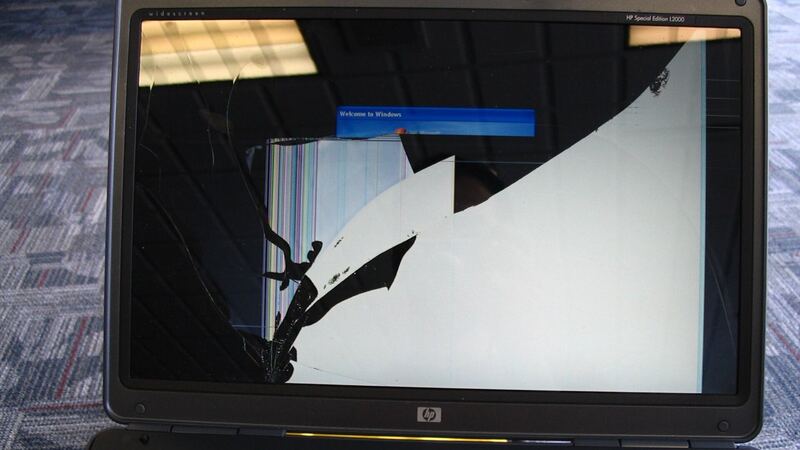
- Black or purple blotches spreading after a drop mean the OLED layer is damaged. That's a replacement, not a fix.
- Faint image retention on OLED often fades. Use a dark theme, auto-hide the taskbar, and let the screen sleep when idle.
Why DIY is a tough sell
Engadget says you reach the internals by removing four corner screws, and ITPro found the battery, SSD and fans are user-accessible. The screen is a different story. It's a thin, touch-enabled OLED assembly at the top of a very thin lid, and genuine panels for brand-new models usually aren't sold to the public in the first year. A wrong or low-grade panel could mean worse color, no touch, or a lid that doesn't close flush. Leave this one to HP or a shop that can show you the part.
Questions to ask a shop
- Is the replacement an OEM OLED panel with touch, matching my exact model (3K or 2K)?
- Is the quote for the panel alone or the full display assembly?
- What's the warranty on the part and labor? (uBreakiFix says most of its repairs carry a 1-year limited warranty and diagnostics are free.)
- Will the repair void any remaining HP warranty?
Worth fixing?
On a laptop this new and this expensive, a screen repair usually beats replacing the whole thing, especially if a Care Pack covers it. If you're facing a large out-of-pocket quote on an older unit, plug the numbers into our repair-or-replace calculator. See more on the HP OmniBook Ultra 14 repair page, and if your battery is fading too, read our OmniBook Ultra 14 battery guide.
Prices checked October 15, 2026.