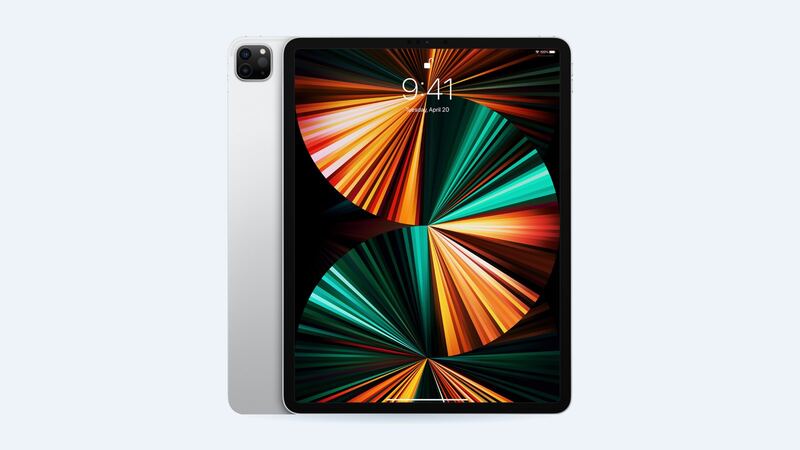
The 2021 12.9-inch iPad Pro has a big 40.88 watt-hour battery. Apple rated it for up to 10 hours of web browsing on Wi-Fi or video playback. That big bright XDR display pulls a lot of power, especially in HDR, so a tired battery shows up fast on this one.
What it costs
| Option | Price |
|---|---|
| Apple battery service | $119 |
| Apple with AppleCare+ (under 80% capacity) | $0 |
| Independent shop (FixStop example) | $489.99 online special, $499.99 regular |
| DIY battery only (iFixit) | $69.99, plus tools and adhesive |
That's a weird one, right? Apple charges $179 for the 2022 6th-gen model, but only $119 for this 2021 version. If you own the 5th gen, that's good news.
Is it the battery or the display?
Before you blame the battery, remember what this iPad is doing. HDR video and very bright content push the mini-LED backlight hard. If you mostly watch HDR shows at full brightness, shorter runtime is partly the display, not just battery wear.
To see the actual battery condition (the Battery Health screen in Settings is only on newer iPads like the iPad Pro M4, not this one):
- Analytics data: turn on analytics sharing, go to Settings > Privacy & Security > Analytics & Improvements > Analytics Data, open the newest file and search for MaximumCapacityPercent and CycleCount.
- coconutBattery or iMazing: connect to a Mac or PC and read capacity and cycles.
- Apple Support: free remote diagnostics can confirm if it qualifies.
Apple says iPad batteries are built to keep up to 80% of original capacity at 1,000 full cycles. Under 80% is the AppleCare+ cutoff for a free swap.
Easy things to try first
- Settings > Battery: see which apps used the most power.
- Turn down brightness, turn on Auto-Brightness. On an XDR screen this makes a big difference.
- Background App Refresh: off for anything that doesn't need it.
- Restart and update iPadOS. Then give it a day before you judge.
DIY? Not on this one
The battery itself is about $70 from iFixit, but you have to get the huge, fragile XDR screen off first. iFixit's screen guide for this model runs 44 steps, warns that "the large screen is very fragile," and says you'll lose Face ID and True Tone if the top sensor assembly isn't transferred. Crack that display and you're looking at an $829 repair. For a $50 saving over Apple, it's not worth the gamble.
What to ask
- "Is it covered under AppleCare+?" Check checkcoverage.apple.com.
- "What capacity does your test show?"
- "Will I get my iPad back or a replacement unit?" Back up first either way.
- If you're at a shop: "Why is your price four times Apple's?" Seriously, ask.
Make sure you have the right model
This one looks a lot like its siblings, and prices differ by generation. Flip the iPad over or open Settings > General > About and check the model number. Apple lists A2378 (Wi-Fi), A2461 and A2379 (Wi-Fi + Cellular) and A2462 (China mainland) as the iPad Pro 12.9-inch (5th generation). If yours says A2436, A2437, A2764 or A2766, it's the 2022 6th-gen model, and Apple's battery price jumps to $179.
Before you drop it off
- Back it up. iCloud or a computer, every time. Repairs sometimes end with a replacement unit or a wiped iPad.
- Write down your passcode situation. Some shops ask for it to test touch and Face ID afterward. If you'd rather not share it, ask how they'll test.
- Pull off the case and screen protector so damage is easy to see and quote.
- Bring your Apple Pencil so you can test it on the spot before you pay.
- Get the quote in writing, including the part grade and warranty length.
Is it worth it?
Absolutely, at $119. You get a fresh battery in an M1 iPad Pro with one of the best screens Apple has made, for a small fraction of a new one. If the screen is cracked too, read the 12.9 5th gen screen repair guide before deciding.
All prices for this model are on the iPad Pro 12.9-inch (5th generation) page. Apple prices checked October 14, 2026.