If you've owned a thin laptop before, you know the keyboard horror story. On a lot of them, the keyboard is glued or riveted to the palm rest, so a single broken key turns into a whole top-case replacement with the battery and trackpad thrown in. Lenovo went the other way with the Gen 14. It redesigned the inside around a magnesium Space Frame and made the keyboard, battery and USB ports separate parts. That changes the math on what a keyboard repair should cost.
What you're working with
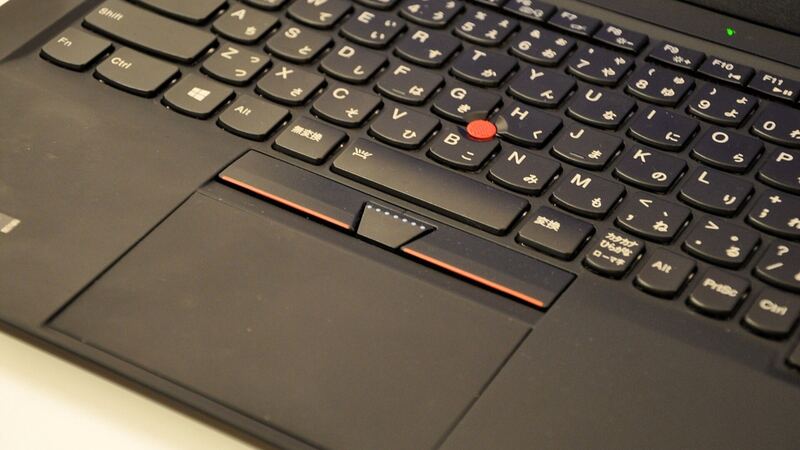
Per Lenovo's PSREF spec sheet, the Gen 14 Aura Edition keyboard is a 6-row, spill-resistant board with an air intake design, 1.5mm of key travel (1.35mm on the Fn row and the G, H and B keys), multimedia Fn keys, a Copilot key and an LED backlight. The red TrackPoint sits in the middle, and a double-tap on it opens Lenovo's TrackPoint Quick Menu. Below that you get either a glass haptic touchpad (80 x 130 mm) or a classic Mylar trackpad with three physical buttons.
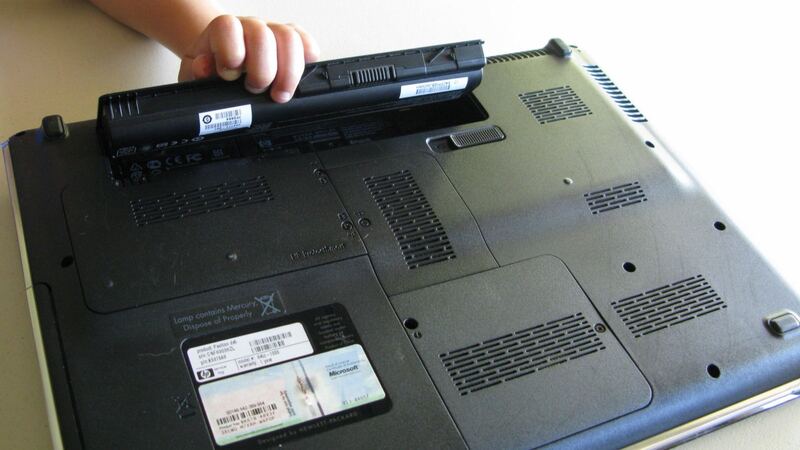
When PCWorld opened one up at CES 2026, they found the whole keyboard can be popped out by flipping the laptop over, and that the battery, SSD and USB ports are simple to swap too. Yanko Design reported Lenovo saying the X1 series scores nine out of ten from iFixit, with the keyboard, battery, speakers and fans all replaceable on their own. Lenovo's own product page lists replaceable battery and customer replaceable units (CRUs) as features. The one thing you can't swap is memory, which is soldered.
What a keyboard fix costs
| Route | What you pay | Good to know |
|---|---|---|
| Lenovo, in warranty, not damage | $0 | Base warranty is 1 or 3 years depending on the configuration |
| Lenovo, out of warranty or damage | Quote only | Lenovo doesn't publish a flat keyboard price for Gen 14 |
| Accidental Damage Protection (if you bought it) | Covered per plan terms | Lenovo sells it as an add-on; check your serial number |
| Independent shop | Price after diagnosis | uBreakiFix runs a free diagnostic and gives a 1-year repair warranty |
| DIY | Cost of the Lenovo part, once listed | Small screwdrivers, a plastic pry tool and patience |
We couldn't find a published US price for the Gen 14 keyboard part when we checked. The laptop itself listed at $2,534 on Lenovo's site for the configuration on that page, so you're not going to retire a machine like this over a keyboard. To price the part, look up your serial number on Lenovo's support site and check the parts list for your exact machine type. Keyboards come in different language layouts and with or without certain options, so match the part number, not just the model name.
Rule out the easy stuff first
Before you order anything, make sure the keyboard is actually broken:
- Open the Windows on-screen keyboard. If it types fine, Windows is OK and the problem is the hardware or a setting.
- Plug in a cheap USB keyboard. If that works too, your laptop is fine and it's the built-in board.
- If only the top row acts weird, check whether Fn Lock is on. That flips the F-keys and media keys.
- Backlight off? Try Fn plus the spacebar, which cycles the ThinkPad keyboard light.
- A key that's crunchy or sticky often has a crumb under it. Tilt the laptop and use short bursts of compressed air.
- Check Lenovo's support site for BIOS and driver updates before assuming a dead keyboard.
If only a few keys fail and a USB keyboard works perfectly, that points straight at the keyboard or its cable, which is the cheap version of this problem.
After a spill
The keyboard is spill-resistant, not spill-proof. If you dump coffee on it, turn the laptop off right away, unplug it, and tip it upside down with the lid open in a tent shape so liquid drains out instead of in. Don't use a hair dryer on high heat. Let it dry for a couple of days before you try it, and if it's sugary or milky, have a shop open it and clean it. Sticky residue can short things later even if it works at first.
When to DIY and when to call a pro
DIY makes sense here more than on most laptops. If you're out of warranty, comfortable with small screws and the part is listed for your serial number, swapping a standalone keyboard is a reasonable weekend job. If you're still under warranty, let Lenovo do it, because opening it yourself could complicate a claim later. If the laptop took a big spill, skip DIY and get a diagnosis, since liquid can reach the board under the keyboard.
What to ask a shop before you pay
- Are you using a genuine Lenovo keyboard with the right layout and backlight?
- Is the diagnosis free, and is the quote for parts plus labor?
- If liquid got in, did you check the board and battery too?
- How long is the repair warranty? (uBreakiFix says most of its repairs carry a 1-year limited warranty.)
Is it worth fixing?
Almost always, yes. This is a new, expensive laptop with a keyboard designed to be replaced on its own, so even a paid repair is a small slice of what the machine cost. Run the numbers in our repair-or-replace calculator if the laptop has other problems too, and see everything else on the ThinkPad X1 Carbon Gen 14 repair page. Battery acting up as well? Read our X1 Carbon Gen 14 battery guide.
Prices checked October 15, 2026.