A 2-in-1 gets used everywhere: the couch, the kitchen, the passenger seat. That's a lot of charge cycles, and lithium batteries wear a little with every one. Here's how to tell normal aging from a real problem, and what to do about either.
Battery and charging specs
From Lenovo's PSREF sheet for the Yoga 7 2-in-1 14IPH11:
- Battery: 70Wh lithium-ion
- Rapid Charge Express: about 3 hours of use from a 15-minute charge, but only when the laptop is hibernated or shut down
- Adapter: 65W USB-C slim adapter (some countries and configurations ship without one)
- Charging ports: two Thunderbolt 4 ports with USB PD from 45W to 65W
- Warranty options: 1 year, 2 years (1-year battery), or 3 years (1-year battery)
Notebookcheck's listing for the Gen 11 also gives 70Wh and up to 65W charging.
Is it really the battery?
- Battery report: open a command prompt and run powercfg /batteryreport. Compare Design Capacity with Full Charge Capacity. A big gap means real wear.
- Lenovo Vantage: shows battery health and has a battery conservation setting that stops charging short of full to slow wear.
- Find the drain: Settings, then System, then Power and battery shows which apps used the most energy. The 2.8K OLED at 120Hz and high brightness also uses more power than the 1200p panel.
- Charger check: the Thunderbolt ports want USB PD at 45W or more. A small phone charger may barely charge it or not at all.
- Try both USB-C ports and another 65W cable before blaming the battery.
What it costs
| Route | What you pay | Notes |
|---|---|---|
| Lenovo, first year, defect | $0 | Battery coverage is 1 year on all listed warranty options |
| Lenovo, after year one | Quote | No published battery price for this model |
| Lenovo 65W USB-C adapter (if the charger's the problem) | Varies | Any quality USB PD charger rated 65W works with these ports |
| Independent shop | Price after diagnosis | uBreakiFix lists Lenovo battery replacement, free diagnostics, 1-year warranty |
| DIY | Cost of the genuine part, once listed | Match the part number from Lenovo's parts lookup for your serial |
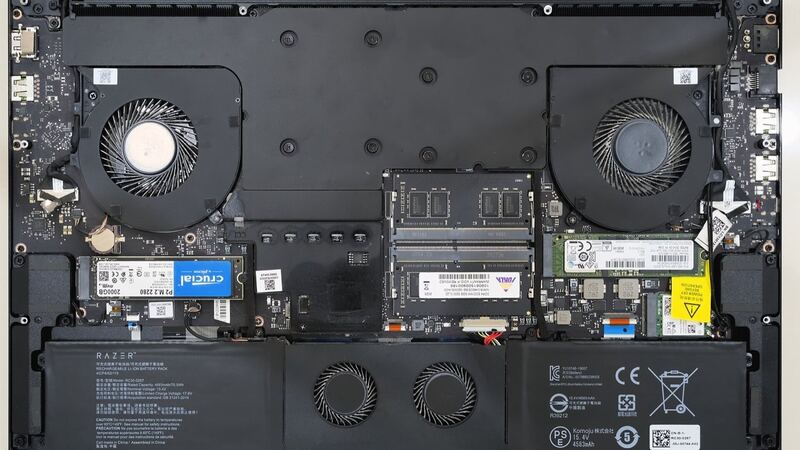
Since this is a 2026 model, be careful with listings that just say "Yoga 7 battery." Earlier Yoga 7 2-in-1 generations used different packs, and the 14IML9 version reviewed by pc.sk had a 65Wh battery, not 70Wh. Look up your serial number on Lenovo's support site and buy by part number.
Swelling is a stop sign
If the bottom cover bulges, the touchpad gets stiff, the laptop rocks on a table, or the screen won't sit flat in tablet mode, the battery may be swelling. Unplug it and stop using it. Don't press on it or try to pry it out. A punctured lithium pack can catch fire. Get it to Lenovo or a shop that handles swollen batteries.
DIY or pro?
If you're past the one-year battery coverage, the pack isn't swollen, and you can get the right genuine part, a battery swap is a moderate DIY job: bottom screws, plastic clips, then disconnect the battery before anything else. If you're still in year one, send it to Lenovo for free.
Worth fixing?
Yes. A battery is the one part every laptop wears out, and replacing it is far cheaper than a new 2-in-1. If the screen or hinge is also failing, add it all up in our repair-or-replace calculator. More fixes are on the Lenovo Yoga 7i 2-in-1 Gen 11 repair page, and cracked screens are covered in our Yoga 7i Gen 11 screen guide.
Prices checked October 15, 2026.