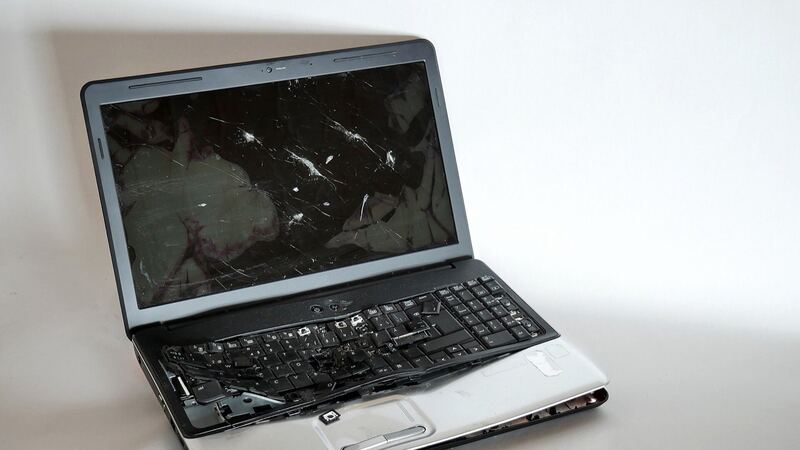
A 2-in-1 lives a harder life than a regular laptop. It folds into a tablet, gets tossed on the couch, and gets poked with a pen all day. So screens crack. Before you panic, figure out which of the two Gen 11 screens you have and whether it's really the panel.
Two OLED options, both touch
Lenovo's PSREF sheet for the Yoga 7 2-in-1 14IPH11 lists two 14-inch OLED panels:
| Panel | Resolution | Refresh | Brightness |
|---|---|---|---|
| WUXGA OLED | 1920 x 1200 | 60Hz | 400 nits |
| 2.8K OLED | 2880 x 1800 | up to 120Hz | 500 nits typical SDR, 1,100 nits HDR peak |
Both are glossy, use Corning Gorilla Glass 3, and have OGS 10-point touch with Yoga Pen support. OGS stands for One Glass Solution, where the touch layer is built into the cover glass. In practice that means a cracked cover glass on a laptop like this usually means replacing the whole display assembly, not just a sheet of glass.
Colors are Luna Grey and Seashell. Your exact model and panel are tied to your serial number, which you can look up on Lenovo's support site or in the Lenovo Vantage app.
Which screen fits your laptop
The Gen 11 (model 83TC) shipped with the two 14-inch, 16:10 OLED touch panels in the table above, and a replacement has to match yours: 1920 x 1200 at 60Hz, or 2880 x 1800 at up to 120Hz.
How to check which one you have:
- Windows Settings: open Settings > System > Display. The resolution marked "(Recommended)" is your panel's native resolution. Under Advanced display, 60Hz means the WUXGA panel and 120Hz means the 2.8K panel.
- Serial number: look it up on Lenovo's support site or in Lenovo Vantage to see the exact display part your unit shipped with.
- Panel sticker: the panel's own part number is on a label on its back. A shop can read it once the old screen is out, and it's the safest number to match. Device Manager also shows a panel code under Monitors > your display > Properties > Details > Hardware Ids.
What it costs
| Route | What you pay | Notes |
|---|---|---|
| Lenovo warranty, defect, no damage | $0 | Base warranty options are 1 year, 2 years (1-year battery) or 3 years (1-year battery) |
| Lenovo Accidental Damage Protection | Covered per plan | Sold as an add-on; check your serial number |
| Lenovo out of warranty or damage | Quote | No published flat price for this model |
| Independent shop | Price after diagnosis | uBreakiFix lists Lenovo screen repair with a free diagnostic and 1-year warranty |
| Independent shop with an aftermarket part | About $265 to $295 | Part plus labor; see the part prices below |
| DIY | Not recommended yet | New-model OLED touch assemblies are hard to find |
Replacement screen part prices
| Option | Resolution | Panel and connector | Replacement screen part price | Shop price range (part + $120 to $150 labor) |
|---|---|---|---|---|
| OLED touch assembly (screen, touch layer and bezel), model 83TC | Not stated on the listing; match 1920 x 1200 or 2880 x 1800 | 14-inch OLED touch, 40-pin connector | $144.99 | $265 to $295 |
The listing was out of stock when we checked and didn't print a panel part number, so have the shop match the number on your old panel and confirm the resolution. Labor usually runs $120 to $150 for these screens because this is an OLED touchscreen with bonded glass on a 2-in-1, so each range is the part plus $120 at the low end and plus $150 at the high end. Ask the shop to test pen input before you pick it up.
Is it the panel or something else?
- External display test: plug a monitor into HDMI or a Thunderbolt port. If the external picture is fine, the problem is in the lid.
- Touch only: if the picture is perfect but touch is dead or jumpy, check for Windows and Lenovo Vantage updates, then look at the touch device in Device Manager. Also try turning off tablet-mode rotation lock to rule out software.
- Flicker or lines when you rotate the screen can point to the display cable running through the hinge. 2-in-1 hinges flex that cable a lot.
- Pen stopped working but finger touch works: try a fresh battery or charge in the pen and re-pair it before blaming the screen.
- Black or purple spots spreading after a drop mean the OLED layer is damaged. That's a replacement.
DIY difficulty
High. You'd be swapping a thin OLED touch assembly with cables that run through a 360-degree hinge, on a model so new that genuine parts aren't widely sold. If your unit is in warranty, opening it yourself can also complicate a claim. Let Lenovo or a shop handle it.
Ask before you pay
- Is the replacement an OEM OLED touch assembly matching my panel (WUXGA or 2.8K)?
- Will pen and touch be tested before I pick it up?
- What warranty comes with the part and labor?
- Did you check the hinge cable if the problem changes when the screen moves?
Worth fixing?
If it's a defect under warranty, it's free, so yes. For a cracked screen, compare the quote to what the laptop is worth: with sale prices as low as $799.99 on some configurations, a big out-of-pocket bill on an older unit deserves a second look. Our repair-or-replace calculator makes that quick. More fixes are on the Lenovo Yoga 7i 2-in-1 Gen 11 repair page, and battery help is in our Yoga 7i Gen 11 battery guide.
Prices checked October 15, 2026.