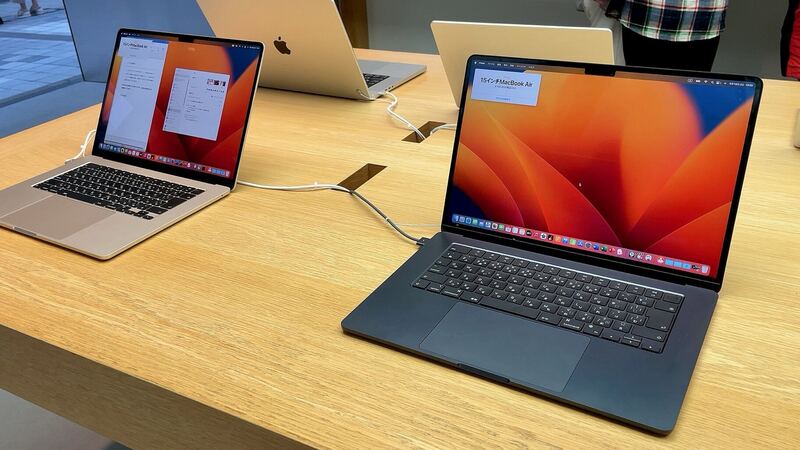
The 15-inch Air has a big battery to match its big screen. Apple's spec is 66.5 Wh, about 25% more than the 13-inch model, and it's rated for up to 15 hours of web browsing. If yours is nowhere near that anymore, here's how to figure out why.
What it costs
| Option | Price | Notes |
|---|---|---|
| Apple, out of warranty | $199 | Plus tax, and shipping if mailed in |
| Apple with AppleCare+ | $0 | Below 80% capacity |
| Independent shop | Ask for a quote | Confirm it's for model A2941 |
| DIY | Not recommended | Lots of disassembly, see below |
Note the price jump from the 13-inch M2 Air ($159). You're paying for a bigger battery.
Check health and cycle count
Battery Health: Apple menu > System Settings > Battery > Battery Health. "Normal" is good. "Service Recommended" means it holds noticeably less charge than when new, or isn't working right. Apple says you can keep using the Mac either way.
Cycle count: Hold Option, click the Apple menu, choose System Information, then Hardware > Power. Look under Battery Information.
Apple lists the 15-inch M2 Air at a maximum of 1,000 cycles and says the battery is designed to keep up to 80% of its original capacity there. A cycle is 100% of use, even if it's spread over several charges.
- Normal, well under 1,000 cycles: the battery probably isn't your problem.
- Approaching 1,000 cycles: fair time to replace it.
- Service Recommended: book it, free with AppleCare+ if under 80%.
Free things to try first
- Activity Monitor, Energy tab: find the app that's draining you. Browser tabs with video or ads are frequent offenders.
- Brightness: a 15.3-inch screen at full blast uses a lot of power.
- Recent macOS update? Give it a couple of days to finish background work.
- Optimized Battery Charging: keep it on to slow long-term wear.
- Charger check: if it charges slowly, try another USB-C or MagSafe cable before blaming the battery.
Why this battery is a hard DIY
When iFixit took the 15-inch Air apart in 2023, it found the battery cells are held in with pull tabs, which sounds easy. The catch is getting there. iFixit said reaching the battery takes removing a lot of screws, and that the new force-cancelling woofers block the logic board along with hinge cover screws and an antenna cover. It scored the Mac 3 out of 10 for repairability at the time.
Apple now lists the battery as an orderable part in its official parts list for this model, which is good news for shops. It's still a careful job, not a quick swap.
Where to get it done
Apple Stores and Apple's mail-in service charge the $199 above. Apple Authorized Service Providers use genuine parts, but Apple's repair page says they set their own out-of-warranty fees, so a quick call to compare is worth it. Independent shops can be cheaper, but quality depends on the part and the tech.
Whoever does it, back up first with Time Machine or iCloud. It's a big job with the logic board in the way, and a backup costs you nothing.
Questions to ask a shop
- Is the battery new and full capacity? Apple's spec is 66.5 Wh.
- Will macOS show battery health and cycle count correctly after?
- Do you replace the battery adhesive and any one-time-use parts?
- What warranty comes with the battery?
Is it worth replacing?
Yes, in most cases. The M2 15-inch Air is still a very capable laptop, and $199 brings back the long battery life that made it worth buying. With AppleCare+ and capacity under 80%, it costs nothing.
Cracked the screen too? Our 15-inch MacBook Air M2 cracked screen guide covers that bill.
All Apple prices are on the MacBook Air 15-inch (M2, 2023) page. Apple prices checked October 14, 2026.