The M1 MacBook Pro 13 was famous for its battery life. Apple rated its 58.2-watt-hour battery for up to 17 hours of web browsing. But most of these laptops are now five or six years old, and many still have their first battery. A new one is usually the cheapest way to get a full day out of the laptop again.
The repair
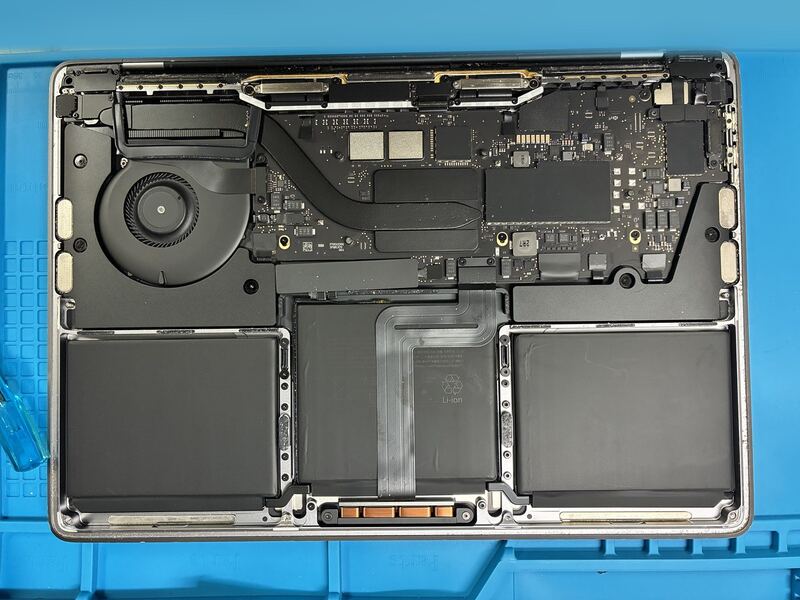
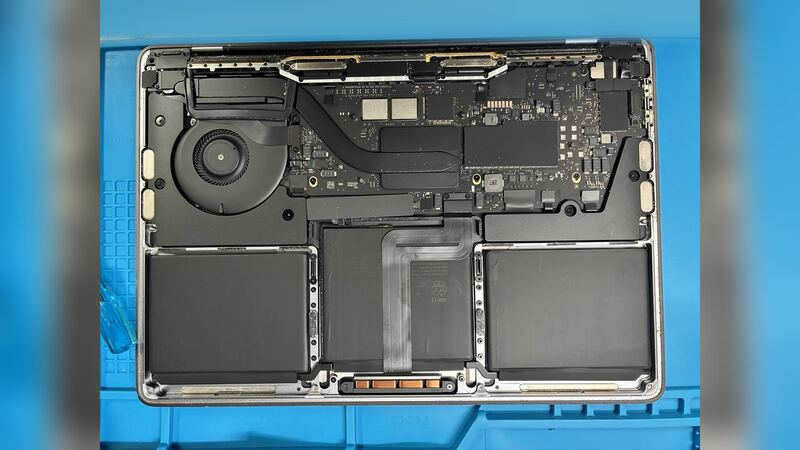
With the bottom case off you can see how the battery is built. Three cells sit side by side under the palm rests and trackpad, glued to the top case. One wide flat cable in the middle connects the battery to the logic board. The model number, A2338, is printed in small text on the bottom case.
What it costs
| Option | Price |
|---|---|
| This repair (Raleigh, NC) | $160, parts and labor |
| Apple battery service | $249 |
| With AppleCare+ | $0 below 80% capacity |
| Defective battery in the first year | Covered by Apple's one-year warranty |
That's $89 less than Apple's price for the same model.
How to know it's time
- Open System Settings > Battery and click the info button next to Battery Health. Service Recommended, or a Maximum Capacity under 80%, means it's time.
- Hold Option, click the Apple menu, choose System Information, then Power. Apple rates this battery for 1,000 cycles. A cycle count close to that means the battery is worn out.
- The laptop shuts down while the battery still shows charge left, or only lasts a couple of hours.
Apple or a local shop?
In Apple's repair manual for this model, the battery is part of the Top Case with Battery and Keyboard assembly, and Apple installs a genuine part with its own warranty. A local shop replaces the battery itself, which is a big part of why it costs less.
If you go to a shop, ask three things: is the battery brand new, what warranty comes with it, and how long the laptop will be there. After the repair, open System Information > Power again. A new battery should show a cycle count at or near zero.
Is $160 worth it on a 2020 MacBook Pro?
If the screen, keyboard and ports all work, $160 is a good deal for another few years of use. If the laptop also needs a screen or more storage, add those up first with our repair or replace calculator.
More on this model: our M1 MacBook Pro 13 battery guide has Apple's full battery details, and the screen guide covers cracked displays. All prices are on the MacBook Pro 13-inch (M1, 2020) page. Need a shop near you? Find a repair shop.