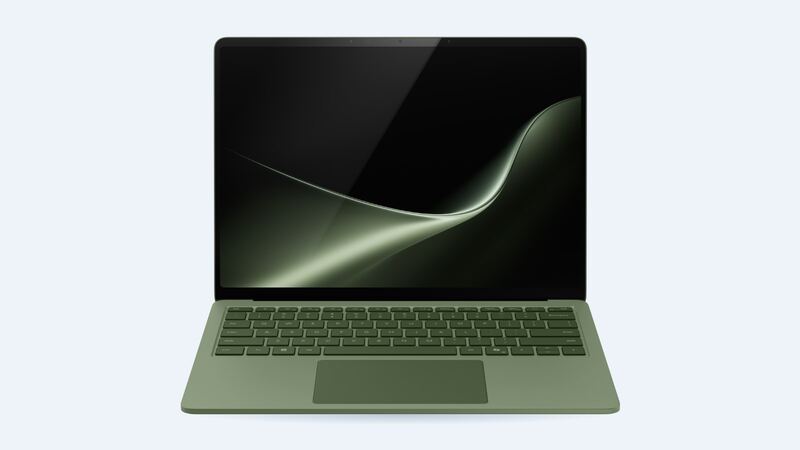
The Surface Laptop's touchscreen is one of its best features, and one of the priciest things to break. Microsoft does publish its repair prices, which is more than most laptop makers do. Here's what each screen is, what it costs to fix, and how to keep the bill down.
Which screen fits your laptop
Microsoft sells the 8th Edition in two sizes for this model, and each has its own screen. They can't be swapped between sizes.
| Option | Size | Resolution | Panel type | Refresh rate | Touch |
|---|---|---|---|---|---|
| Surface Laptop 13.8-inch (8th Edition) | 13.8 in | 2304 x 1536 | HDR PixelSense LCD | Up to 120Hz | Yes |
| Surface Laptop 15-inch (8th Edition) | 15 in | 3270 x 2180 (as listed by Microsoft) | HDR PixelSense LCD | Up to 120Hz | Yes |
Microsoft doesn't publish part numbers for these displays. Both have a 3:2 shape and rounded corners. Watch out for one mix-up: Microsoft also sells a separate Surface Laptop 13-inch with a 1920 x 1280, 60Hz screen. It's a different laptop with a different panel, so a part listed for the "Surface Laptop 8 13-inch" won't fit a 13.8-inch.
How to check yours:
- Windows: Settings > System > Display. 2304 x 1536 means the 13.8-inch.
- Surface app: shows your exact model and serial number.
- Bottom of the laptop: the model and serial are printed there too.
- Panel sticker: a technician who removes the display can read the maker and part number on the back. Use it to match the replacement.
What it costs
| Option | Resolution | Replacement screen part price | Shop price (part + labor) |
|---|---|---|---|
| Microsoft repair, 13.8-inch | 2304 x 1536 | Included | $660 (screen or physical damage) |
| Microsoft repair, 15-inch | 3270 x 2180 | Included | $690 (screen or physical damage) |
| Independent shop, 13.8-inch | 2304 x 1536 | Not published yet | Get a quote |
| Independent shop, 15-inch | 3270 x 2180 | Not published yet | Get a quote |
| Microsoft Complete | Either | Covered | Accidental damage, 2 device claims |
When parts do show up, expect shops to add about $150 in labor, since these are touch panels on a tightly built laptop. For context, Microsoft lists the 13.8-inch at $1,479 and the 15-inch at $1,699.99, so $660 to $690 is a big bite.
Microsoft's full price list for this laptop
| Model | Screen or physical damage | Liquid damage | Battery service | General repair |
|---|---|---|---|---|
| 13.8-inch (8th Edition) | $660 | $1,010 | $330 | $620 |
| 15-inch (8th Edition) | $690 | $1,040 | $330 | $620 |
Microsoft Complete: use it if you have it
Microsoft Complete covers accidental damage from handling (drops, spills and cracked screens) from the purchase date, with 2 claims for the device, plus prepaid return shipping. Breakdown coverage starts after the limited hardware warranty ends. You can add it at purchase, later through your Microsoft account or the Surface app if the laptop is eligible, or through support. Microsoft's plan page doesn't list a price, so check it in your account.
Can a shop or DIY beat $660?
Maybe later, but probably not yet. Microsoft's self-repair page lists a display assembly for the previous Surface Laptop (7th Edition), sold through the Microsoft Store and iFixit, with official service guides. When we checked, the 8th Edition wasn't on that list, no 8th Edition service guide was posted, and we couldn't find a published replacement screen part price for the 13.8-inch or 15-inch. Until parts appear, Microsoft is the reliable route.
Is it really the screen?
- Try an external monitor. If that works, the laptop is fine and the display is the problem.
- Touch dead but picture fine? Run Windows Update and the Surface app updates first.
- Flicker or lines that change with the lid angle can mean a cable problem. It still usually means a display repair on this design.
Questions to ask before paying
- Is Microsoft repairing my unit or sending a replacement device?
- Will my data be erased? (Assume yes and back up to OneDrive or a drive.)
- How long will shipping and repair take?
- If a shop quotes it, is the part a genuine Microsoft display for my exact size?
Is it worth it?
On a laptop that costs $1,479 or more new, a $660 to $690 repair is usually still worth it, especially on a recent 8th Edition. If other things are failing too, run the numbers in our repair-or-replace calculator. Battery fading? Read our Surface Laptop (8th Edition) battery guide. All repair info is on the Surface Laptop (8th Edition) page.
Microsoft prices checked October 15, 2026.