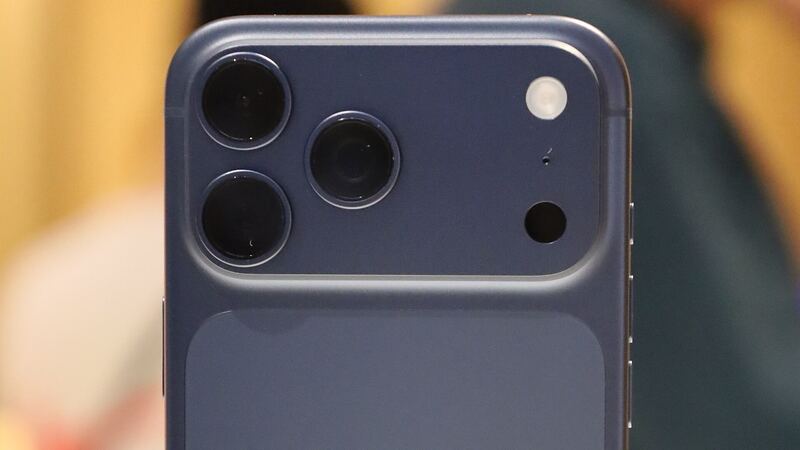
The iPhone 17 Pro Max has the biggest battery Apple has put in an iPhone so far. Apple rates it for up to 39 hours of video playback, and teardown reports put the eSIM-only version (the one sold in the US) at 5,088 mAh. So if yours is already struggling to make it to bedtime, something is off. Sometimes that's the battery. A lot of the time it isn't.
What Apple charges
These are Apple's own US prices for the iPhone 17 Pro Max, from Apple's repair price tool.
| Repair | Apple price (no coverage) | With AppleCare+ |
|---|---|---|
| Battery service | $119 | $0 (under 80% health) |
| Screen damage | $379 | $29 |
| Back glass damage | $159 | $29 |
| Other damage | $899 | $99 |
Apple says that for service covered by an AppleCare plan, the fee is the same at Apple and at every Apple Authorized Service Provider. If you're paying out of pocket, authorized providers can set their own price, so it's worth a quick call or two.
Do you actually need a new battery?
Go to Settings > Battery > Battery Health and look at Maximum Capacity. That number compares your battery to when it was new.
- Above 90%: The battery is fine. Look for something else eating power.
- 80% to 90%: Normal aging. You might notice it, but it's not urgent.
- Below 80%: This is where a swap makes sense, and where AppleCare+ makes it free.
Apple says batteries in iPhone 15 and later models are designed to keep 80% of their original capacity at 1,000 complete charge cycles under ideal conditions. A complete cycle is 100% worth of charging, spread over however many top-ups it takes. So a 17 Pro Max from the September 2025 launch should be nowhere near worn out unless it's been baking on a dashboard every day.
Easy things to try before paying $119
Say your phone shows 96% health but dies by 4 p.m. That's a software or usage problem, not a battery problem. Try these first:
- Check Settings > Battery for an app hogging power. A stuck navigation or video app can burn through a charge fast.
- Give it a few days after an iOS update. The phone re-indexes photos and data in the background, and battery life often looks bad for a day or two.
- Turn off Always On display or set a shorter Auto-Lock if you're always reaching for the charger.
- Restart the phone. Boring, but it clears runaway processes.
- Keep it cool. Apple notes that software may limit charging above 80% when the battery is warm. That's a feature, not a broken battery.
Apple vs. a local shop
| Option | Price | What you get |
|---|---|---|
| Apple or Authorized Service Provider | $119 | Genuine battery, listed as genuine in Settings, Apple's 90-day service guarantee |
| Apple with AppleCare+ | $0 under 80% | Same genuine part, no charge |
| Independent shop | About $69 to $109 | Cheaper and often same day, but usually a non-genuine cell |
A non-genuine battery shows up as Unknown Part under Settings > General > About > Parts and Service History. Apple says that can affect trade-in value. On a phone this new and this expensive, that's a real cost. Saving $30 on the battery and losing more than that when you trade it in is a bad deal.
Questions to ask before you pay
- Is this a genuine Apple battery or an aftermarket one?
- Will it show as genuine or "Unknown Part" in Settings?
- What warranty comes with the battery, and for how long?
- Do you replace the seals when you close it up? (The 17 Pro Max is rated IP68 to 6 meters for 30 minutes from the factory, and Apple says that resistance can drop over time. Opening the phone doesn't help.)
Is it worth replacing?
Easily, yes. A $119 battery on a phone that cost well over $1,000 is the cheapest way to make it feel new again. If you have AppleCare+, wait until health dips under 80% and it costs nothing. If your screen took a hit too, check our iPhone 17 Pro Max screen guide so you can plan both repairs at once.
All iPhone 17 Pro Max prices live on the iPhone 17 Pro Max page. Apple prices checked October 14, 2026; shop prices are typical US ranges.