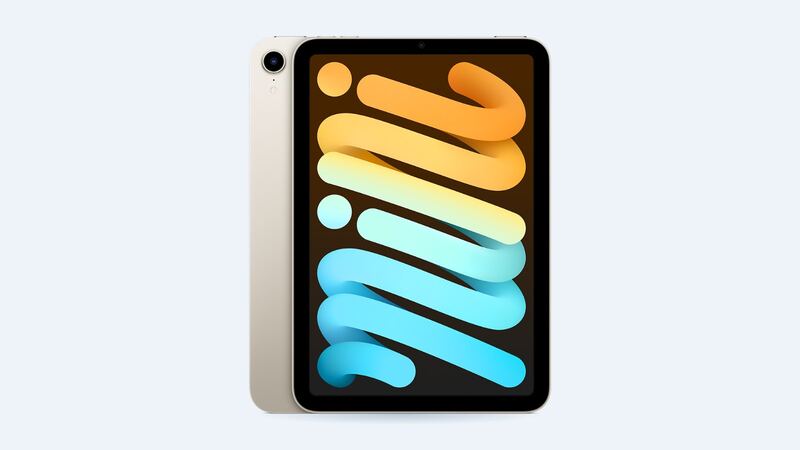
The iPad mini 6 launched in 2021 with a 19.3 watt-hour battery and Apple's rating of up to 10 hours of web browsing or video on Wi-Fi. A few years of daily charging later, plenty of them barely make it through a long flight. That's normal wear. The question is whether to fix it or move on.
What it costs
| Option | Price |
|---|---|
| Apple battery service | $119 |
| Apple with AppleCare+ (under 80% capacity) | $0 |
| Independent shop (FixStop example) | $389.99 online special |
| DIY battery only (iFixit) | $39.99, plus tools and adhesive |
Yes, you read that right. The shop example is more than triple Apple's price. Shop prices vary a lot, so call around, but don't assume a local shop is cheaper for batteries. For this model, Apple's flat $119 is hard to beat.
How to check battery health on an iPad mini 6
Here's the annoying part. Apple's Battery Health screen (Settings > Battery > Battery Health) only shows up on newer iPads like the iPad mini (A17 Pro), iPad Air M2 and later, iPad Pro M4 and later, and iPad (A16). The mini 6 isn't on that list.
You can still dig it out:
- Analytics data: With analytics sharing on, go to Settings > Privacy & Security > Analytics & Improvements > Analytics Data. Open the newest file and search for MaximumCapacityPercent and CycleCount. Clunky, but free.
- A Mac or PC app: Tools like coconutBattery (Mac) or iMazing (Mac or Windows) read capacity and cycle count over a cable.
- Ask Apple: Apple Support can run a remote diagnostic and tell you if the battery qualifies for service.
Apple says its iPad batteries are designed to keep up to 80% of their original capacity at 1,000 full charge cycles. If yours is under 80%, that's the line where AppleCare+ covers it.
Try these first
Before paying anything, rule out software drain:
- Settings > Battery: see which apps used the most power. One rogue app can make a healthy battery look dead.
- Lower brightness and turn on Auto-Brightness. The screen is the biggest power user.
- Turn off Background App Refresh for apps that don't need it.
- Update iPadOS, then give it a day or two. Background indexing after an update can drain the battery for a bit.
- Restart it. Stuck processes quietly burn power.
Should you replace it yourself?
It's possible, but it's not a quick swap. iFixit rates its iPad mini 6 battery guide as moderate, 1 to 2 hours, and you have to remove the screen first. That means heat, adhesive cutting, and very shallow prying so you don't damage the display or camera. One slip and your $40 battery job turns into a $399 screen job.
When $119 makes sense
- The screen, Touch ID button and USB-C port all work fine.
- It still runs your apps smoothly (the A15 chip is still quick for most tasks).
- You plan to keep it at least another year or two.
When to skip it
If the screen is cracked too, you're looking at $399 plus $119. That's two repairs on a tablet from 2021. Check what a new iPad mini costs before spending on both. Our repair or replace calculator can help you decide.
What to ask before you hand it over
- "Is the battery covered by AppleCare+ or warranty?"
- "What capacity does your test show?" Get the number.
- "Do you replace just the battery, or the whole unit?"
- "Will my data be erased?" Back up to iCloud or a computer first, no matter what they say.
Make the new battery last
Keep the iPad out of hot cars. Heat ages lithium batteries faster than anything else. If it'll sit in a drawer for weeks, leave it around half charged instead of full or dead.
The verdict
For most iPad mini 6 owners, $119 at Apple is a great deal. You get a tablet that lasts all day again for a fraction of a new one. Cracked screen too? See our iPad mini 6 screen repair cost guide. All prices are on the iPad mini (6th generation) page. Apple prices checked October 14, 2026.